
What Is OpenClaw? The Open-Source AI Assistant, Explained
An AI agent that lives on your hardware — not in someone else's cloud.
OpenClaw answers your messages, works your browser, and remembers your day. Here's what it is, what it does, and the fastest way to run it.
What Is OpenClaw, Exactly?
OpenClaw is an open-source AI assistant — software you install on a machine you control. Once it's running, you talk to it from Telegram, WhatsApp, or Discord like any chat assistant. The difference is where it lives: on your hardware, with your files, your logins, and your memory of past conversations staying in your hands.
Because it's an agent rather than a chat window, OpenClaw doesn't just answer questions. It takes actions: it can use a real browser, send and read email, run scheduled jobs, and keep working while you're away. The code is open source, so you can read exactly what it does — and change it.
What OpenClaw Does All Day
An assistant that's always on doesn't wait for you to open an app. These are the jobs people hand to OpenClaw first.
Email triage and replies
It reads your inbox, drafts answers in your tone, and flags the messages that actually need you.
Browser automation
Research, form-filling, price checks, bookings — OpenClaw drives a real browser, not a brittle script.
Messaging everywhere
Telegram, WhatsApp, Discord and more — one assistant across every chat app you already use.
Reminders and scheduled tasks
Morning briefings, calendar nudges, recurring checks — it runs on time because it never sleeps.
Which AI Models Does OpenClaw Use?
Both kinds. OpenClaw can run local models (Llama, Whisper and others) directly on your hardware, so everyday requests never leave the device. For heavier reasoning you can connect cloud models like Claude or GPT with your own API key and pay only for what you use.
Most people land on a hybrid: local models for private, always-on work, cloud models for the hard problems. OpenClaw switches between them per task.
What Hardware Does OpenClaw Need?
Less than you'd think: 4GB RAM and a modern dual-core CPU cover the basics, 8GB with a CUDA accelerator makes local models comfortable. A mini PC, a home server, or an NVIDIA Jetson all work.
See the full OpenClaw hardware requirements →OpenClaw vs ChatGPT and Claude
ChatGPT and Claude are hosted chat services: brilliant at answering, but they live in the provider's cloud and rest between your prompts. OpenClaw is the agent layer that acts — on your machine, on your schedule, across your apps — and it can call those very models when you want their horsepower.
It's not either/or. The comparisons below walk through when each tool wins and how people combine them.
The Fastest Way to Run OpenClaw
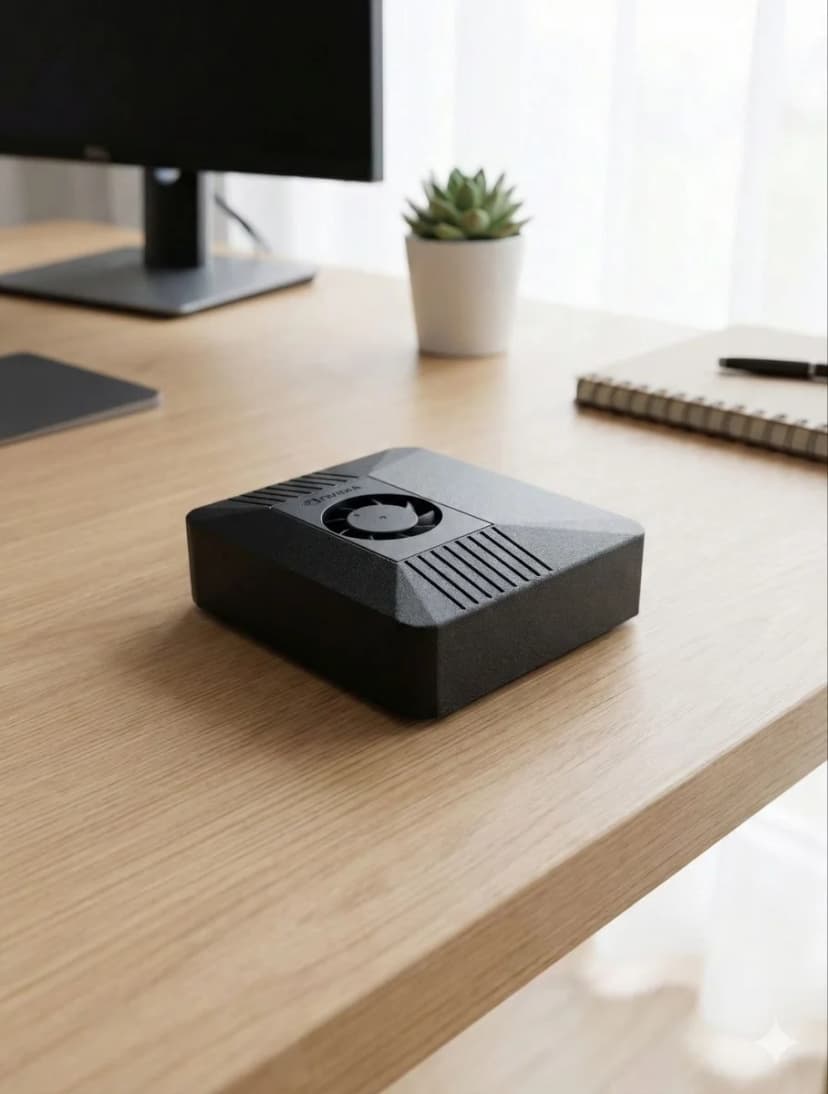
You can install OpenClaw yourself on Linux or macOS in an evening. Or plug in ClawBox — a 67-TOPS NVIDIA Jetson box with OpenClaw pre-installed, drawing 15W so it stays on 24/7. €749 one-time, working in minutes.
Meet ClawBox — your own AI for €749Frequently Asked Questions
What is OpenClaw?+
OpenClaw is an open-source AI assistant — an agent that runs on your own hardware instead of in someone else's cloud. It connects to your messaging apps (Telegram, WhatsApp, Discord), reads and answers email, automates a real browser, runs scheduled tasks, and remembers context between conversations. You talk to it like any chat assistant; the difference is that it lives on a machine you control.
Is OpenClaw free?+
The OpenClaw software is open source and free to install and use. What costs money is what you run it on and with: the hardware (your own machine, or a pre-configured box like ClawBox at €749 one-time), and — if you connect Claude through Anthropic's API for premium reasoning — the usage-based API fees Anthropic charges. Running local models on your own hardware avoids per-message API costs for routine work.
What is OpenClaw AI used for?+
People use OpenClaw AI as an always-on personal assistant: triaging and answering email, watching calendars and sending reminders, automating browser tasks like form-filling and research, controlling smart-home devices, summarizing documents, and running scheduled jobs around the clock. Because it runs 24/7 on dedicated hardware, it can act proactively instead of waiting for you to open an app.
What hardware do I need to run OpenClaw?+
Minimum: 4GB RAM, a modern dual-core CPU, 20GB storage, Node.js 20+, and an always-on internet connection. For local AI models you want 8GB RAM and a CUDA-capable accelerator. Any mini PC, home server, or NVIDIA Jetson qualifies — or ClawBox, a 67-TOPS Jetson box that ships with OpenClaw pre-installed.
Is OpenClaw the same as ClawBox?+
No — OpenClaw is the open-source software; ClawBox is dedicated hardware that ships with OpenClaw pre-installed and configured. You can run OpenClaw on your own machine for free, or get ClawBox (€749 one-time) if you want it working in minutes on low-power hardware built to stay on 24/7.