Hermes Agent vs OpenClaw
Two open-source AI agents, and ClawBox ships with either one on the same hardware. Here is how they differ on a box you own, and how to pick.
The short answer

OpenClaw
Choose OpenClaw if you want the biggest skill catalogue and the most integrations, the setup most ClawBox owners run, and the option to use a Claude Pro/Max or Google One AI Premium subscription you already pay for.

Hermes Agent
Choose Hermes Agent if you want Nous Research’s agent for heavier autonomous work, more ways to sign in to a model provider (Nous Portal and GitHub Copilot among them), and you are happy with a younger ecosystem and a smaller skill library.
Either way it is the same NVIDIA Jetson box. You choose the edition at checkout and it arrives set up with that agent. Compare them side by side
Hermes Agent vs OpenClaw, side by side
What changes between the two ClawBox editions, from the ClawBox documentation. The hardware underneath is identical.
| OpenClaw Edition | Hermes Edition |
|---|---|
| Intended user | |
Most ClawBox owners You want the broadest skill catalogue, the most integrations and a settled, well-documented setup, with a large community to lean on. | People who want Hermes Agent itself You want Nous Research’s agent for heavier autonomous work and freedom to move between model providers, and accept a younger ecosystem with a smaller skill library. |
| Setup experience | |
Browser wizard, about five minutes Join the box’s setup hotspot from a phone or laptop and follow the wizard. Its AI step opens on ClawBox AI, which works straight away with no key to manage. | Same wizard, Hermes Agent’s own AI step Same hotspot, same wizard. The AI step is Hermes Agent’s provider panel: start on ClawBox AI, show more providers, or skip and use only the on-device model. |
| Integrations & tooling | |
App Store, powered by ClawHub Guided Telegram, WhatsApp, Discord and email setup, with more OpenClaw channels addable by hand. Spoken replies on messaging channels. Device tools include coding tools and click-and-type browser control. | Hermes Skills store The same four guided channels, plus reading an inbox (receiving email is Hermes Edition only). Hermes Agent brings its own coding tools and a richer browser toolset. No OpenClaw App Store. |
| Model path | |
ClawBox AI by default, or your own Sign in with Claude Pro/Max, ChatGPT Plus/Pro or Google One AI Premium, or paste an Anthropic, OpenAI, Gemini or OpenRouter key. On the box: Gemma 4, plus Ollama and other llama.cpp models. | Your provider, or ClawBox AI Sign in with Anthropic, OpenAI (Codex), GitHub Copilot or Nous Portal, or paste an OpenRouter, Anthropic, Gemini, z.ai/GLM or Kimi key; more through the Hermes Agent dashboard. On the box: Gemma 4. |
| Customization | |
Skills, channels and a local-only switch Install App Store skills, manage the agent in the OpenClaw Control UI, set reasoning per chat (Off to High), and turn on Local-only mode to send every request to the box’s own model. | Skills, plugins and Hermes Agent’s full config Install Hermes Skills and plugins, reach Hermes Agent’s full configuration in its dashboard, use its slash commands, and set reasoning per chat across eight levels (None to Ultra). |
| Edition constraints | |
The standard edition Hermes Skills and receiving email are Hermes Edition features. Optional ClawBox AI Pro and Max plans add extras such as the Coding Agent and Memory Shard. | Hermes Agent only, no ClawBox AI plan OpenClaw is not installed: no App Store, no OpenClaw Control UI and no spoken replies on messaging channels. No Local-only switch; you point it at the on-device model instead. |
| Changing edition later | |
A reinstall on the Max plan, not a live toggle Each box runs one agent, set when it is flashed; updates never change it. Settings → Harness reinstalls it as the other edition in a few minutes, with the Max plan and an internet connection. | |
| Hardware & price | |
€749 one-time, + VAT in the EU NVIDIA Jetson Orin Nano Super, 8 GB, 67 TOPS, 512 GB NVMe SSD. Two-year warranty, 30-day returns. | €749 one-time, + VAT in the EU NVIDIA Jetson Orin Nano Super, 8 GB, 67 TOPS, 512 GB NVMe SSD. Two-year warranty, 30-day returns. |

Both editions share the setup wizard, the desktop, Terminal, Files, Remote Desktop, browser automation, webapps, System Update, Memory Shard, Local AI, the chat and the four guided messaging channels.
Sources, on docs.clawbox.com: First boot, Choose your AI provider, AI providers on Hermes Edition, Editions, Hermes Edition, Switching editions, Hardware.
Which one should you choose?
Choose OpenClaw if…
- You want the largest catalogue of skills and integrations — the App Store, powered by ClawHub.
- You want to use a Claude Pro/Max or Google One AI Premium subscription you already pay for.
- You want spoken replies in Telegram and your other messaging channels.
- You want a Local-only switch that keeps every request on the box’s own model.
Choose Hermes Agent if…
- You already use Hermes Agent, or specifically want Nous Research’s agent.
- You want to sign in with Nous Portal, GitHub Copilot, z.ai/GLM or Kimi — providers the OpenClaw panel does not list.
- You want the agent to read an inbox: receiving email is a Hermes Edition feature.
- You want a box that ships with no ClawBox AI plan attached to it.
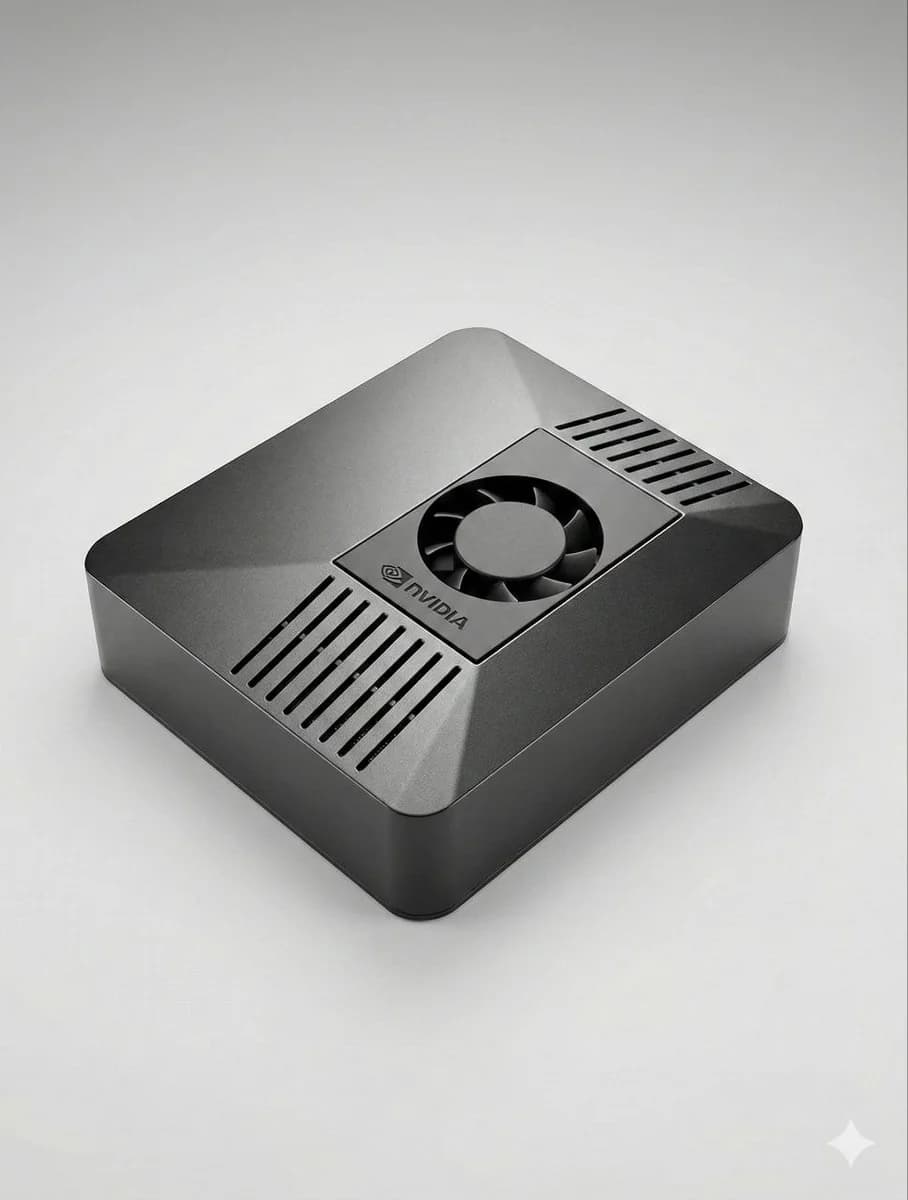
Whichever agent you pick, the box does the hard part
Running either agent around the clock means owning a machine, installing it, securing it and keeping it updated. ClawBox arrives with that done.
Built, flashed and tested for you
Each box is built to order with the edition you picked already installed on its 512 GB NVMe SSD, and ships from the EU within 1–3 working days. Nothing to flash, no drivers to chase.
Set up from a browser
About five minutes of hands-on time: join the box’s own Wi-Fi hotspot from a phone or laptop and follow the wizard. No app to install, no monitor or keyboard.
Updates that keep your edition
System Update keeps the box current, and the installer reads the edition lock on every run, so an update never swaps your agent.
Always-on hardware you own
An NVIDIA Jetson Orin Nano Super with 8 GB of memory and 67 TOPS, made to run an agent around the clock. Two-year warranty and 30-day returns.
Choosing an edition, and changing your mind later
The edition is set when your box is flashed, and updates never change it. On a box you already own, Settings → Harness reinstalls it as the other edition. That is part of the Max ClawBox AI plan, needs an internet connection and about 3 GB free, and takes a few minutes, during which the chat is unavailable.
Comes across
- Your ClawBox AI sign-in and Telegram bot token
- The assistant’s persona and what it knows about you
- Your files, wallpapers, preferences, webapps and code projects
Starts fresh
- Other AI provider keys and sign-ins — each agent keeps its own
- Telegram pairing approvals — approve senders again
- What the assistant learned on the other agent
It is a reinstall, not a live toggle, so order the edition you want to start with. How switching works
Same box. Pick your agent.
One-time purchase, + VAT in the EU. Built to order and shipped from the EU within 1–3 working days, with a two-year warranty and 30-day returns.
ClawBox — OpenClaw Edition
Runs OpenClaw
€749
one-time · + VAT in the EU
- App Store, powered by ClawHub
- ClawBox AI, your own provider, or Gemma 4 on the box
- Local-only mode and spoken replies on messaging channels
ClawBox Hermes Edition
Runs Hermes Agent by Nous Research
€749
one-time · + VAT in the EU
- Hermes Skills store and plugins
- Your own provider, ClawBox AI, or Gemma 4 on the box
- Ships with no ClawBox AI plan and needs none
Hermes Agent vs OpenClaw: common questions
What is the difference between Hermes Agent and OpenClaw?
Both are open-source AI agents that run on hardware you control. OpenClaw is the standard ClawBox agent, with the App Store (powered by ClawHub) and the most integrations. Hermes Agent, by Nous Research, brings its own skills store, plugins and provider panel — including Nous Portal and GitHub Copilot sign-in — and a younger, smaller ecosystem. On ClawBox both run on identical hardware, and each box ships as one or the other.
Is Hermes Agent better than OpenClaw?
Neither wins across the board. OpenClaw has the larger skill catalogue, more integrations and a settled, well-understood setup. Hermes Agent suits heavier autonomous work and people who want to move between model providers, with a smaller skill library. Pick the one that fits the job; the hardware is the same either way.
Can one ClawBox run both Hermes Agent and OpenClaw?
Each edition sold here runs one agent, set when the box is flashed. On a box you already own, Settings → Harness reinstalls it as the other edition. That is part of the Max ClawBox AI plan, needs an internet connection and takes a few minutes; other provider sign-ins and what the assistant learned on the first agent do not carry over. It is not an instant toggle.
Do the two editions cost the same?
Yes. Both are the same NVIDIA Jetson Orin Nano Super hardware at €749 one-time (+ VAT in the EU), built to order and shipped from the EU within 1–3 working days, with a two-year warranty and 30-day returns.
Do I need a subscription for either edition?
No. The hardware is yours outright. The OpenClaw Edition runs on the free ClawBox AI plan, your own provider key or subscription, or the on-device model; paid Pro and Max plans are optional. ClawBox Hermes Edition ships with no ClawBox AI plan and needs none: bring your own provider or use the on-device model.
Can either edition run AI models on the box itself?
Yes, both. Every ClawBox ships with Gemma 4 (on-device), a small model served on the box that needs no key or account, and requests to it are answered without leaving the box. With 8 GB of memory it runs small models comfortably, so heavier work is best paired with a cloud provider.
Hermes Agent is an independent open-source project by Nous Research; ClawBox Hermes Edition is not affiliated with, endorsed by, or sponsored by Nous Research. Not affiliated with Hermès International S.A.