
GDPR & private AI for EU businesses
Private, on-premise AI for your business
ClawBox is an AI server you own. Your files and the assistant's memory stay on the box, its built-in model runs without the internet, and cloud AI is used only if you connect it.
€749 one-time
- Local AI model built in
- No subscription required
- 30-day money-back guarantee
Where your data goes
There are three routes, and you decide which ones the box uses. Each is described the way our privacy policy and product docs describe it.
Always
On the box
The assistant (OpenClaw), its chats and memory, your files on the 512 GB SSD and the provider keys you enter. The built-in model, Gemma 4 (on-device), runs on the box's own llama.cpp with no API key, no account and no internet. Speech-to-text, a voice and memory search can run on the box too.
When the box uses local models, your prompts, files and conversations do not reach us, and we have no remote access to the device.
Local AI in the docsOnly if you connect it
Your own cloud provider
Connect Claude, GPT, Gemini or OpenRouter with your own API key or subscription, and requests go directly from the box to that provider, under your agreement with them. We are not in that path and see nothing.
The provider receives what the assistant sends it for each request: your message and any file or memory content included to answer it. The provider's terms govern what happens to it.
AI providers in the docsOptional subscription
ClawBox AI
Requests pass through clawbox.com/api/ai on our infrastructure, which forwards them to the model provider. We do not store the content of prompts or replies; we record usage (account, time, model, token counts) to run and bill the plan. On a connected box, speech-to-text also defaults to the cloud, and on Pro and Max so do spoken replies and memory indexing. You can set each back to the box.
ClawBox AI chat is served by DeepSeek in China. No EU adequacy decision covers China, and Standard Contractual Clauses are not currently in place, so for personal data use the model on the box or a provider you have your own agreement with.
Recipients in our privacy policy
How to keep everything on the box
Every AI function can stay on the device. These are the settings, as the docs describe them.
Choose local AI at setup
In the setup wizard's “AI provider” step, pick “Skip — I'll use only local AI”. On a box that is already set up, make Gemma 4 (on-device) the primary model in Settings → Local AI.
Turn on Local-only mode
In Settings → Local AI, once the box's model is primary or fallback. It routes every request to that model and switches every cloud AI provider off, fallbacks included; switching it back restores them. It is an OpenClaw edition feature, the edition this page orders.
Keep voice and memory search local
Install speech-to-text (Whisper) and a voice (Kokoro, English only) in Settings → Local AI, and choose “On this box” for the Memory Shard index. Nothing leaves the box for either.
Chat in the built-in web chat
The web chat is part of the box's desktop. Telegram, WhatsApp, Discord and email carry your messages through those services.
Local-only mode is about the AI providers. These still use the internet when you use them:
- Messaging channels: Telegram, WhatsApp, Discord and email
- System updates
- ClawKeep cloud backups
- Remote access through your own link, on the Pro and Max plans
What this means for GDPR
No device makes a business GDPR compliant, and ClawBox holds no GDPR certification: compliance depends on how your organisation processes personal data. What ClawBox changes is where that processing happens.
Processing on your premises
With the local model, prompts and files are processed on a box in your office, on hardware you own.
Nothing reaches us
With local models, your prompts, files and conversations never reach ID Robots, and we have no remote access to the device.
You choose every recipient
A cloud provider receives data only if you connect it, and Local-only mode switches them all off. Which outside recipients there are is yours to decide.
An EU company behind it
ClawBox is sold and supported by ID Robots Ltd, based in Plovdiv, Bulgaria, and ships from Bulgaria.
Erase it yourself
The data is on the box's own SSD. A factory reset in Settings → System erases chats, agent state, provider keys, settings and the files in Documents, Downloads and Desktop.
This page describes the product; it is not legal advice. If you process other people's personal data, review your setup with your data protection officer or legal adviser.
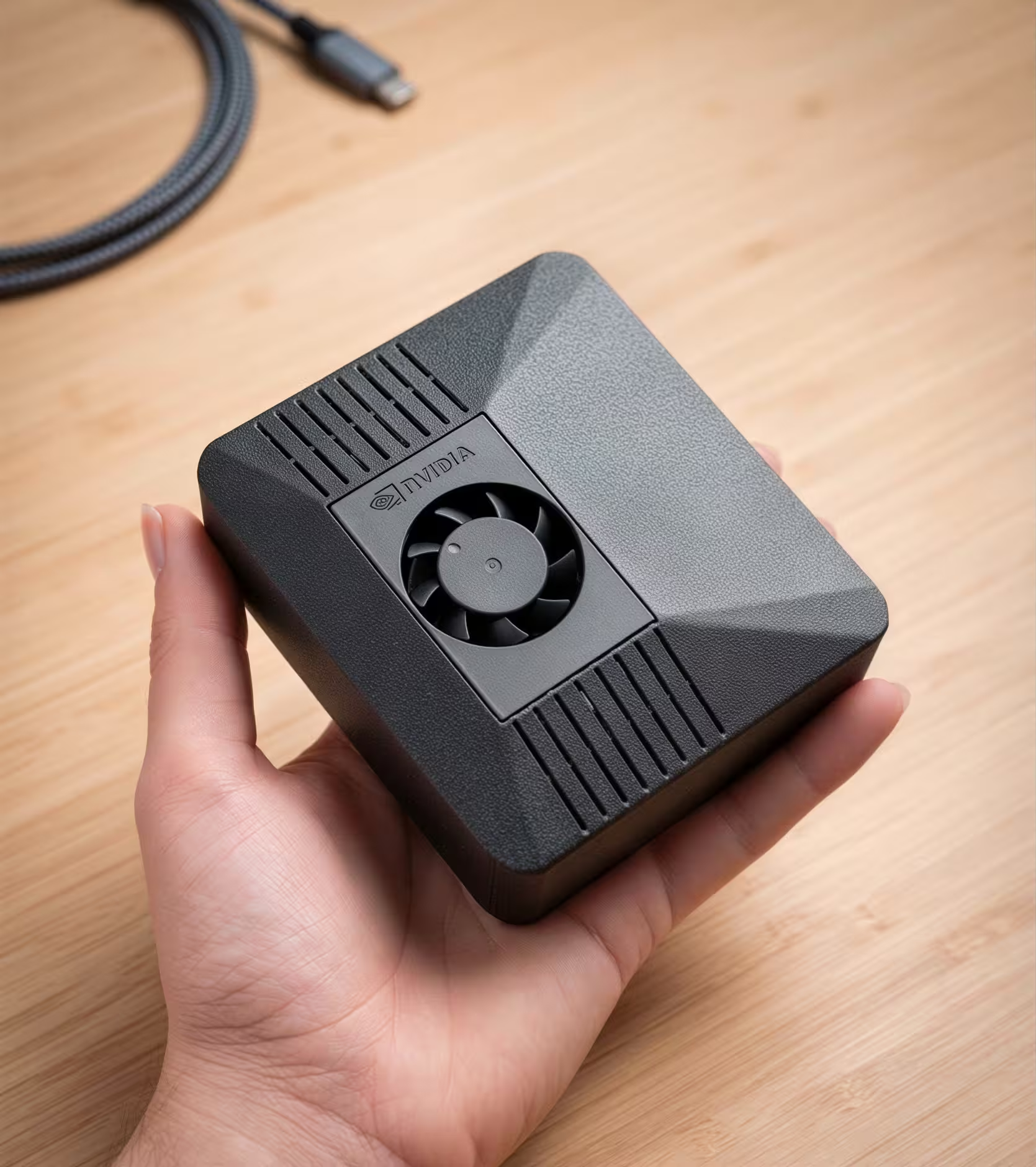
The box
- Compute
- NVIDIA Jetson Orin Nano Super, 8 GB memory, 67 TOPS
- Storage
- 512 GB NVMe SSD, inside the box
- Local model
- Gemma 4 E2B, preinstalled, served by llama.cpp
- Power
- 7 W idle, about 11 W in typical use
Need larger models on-premise? ClawBox Workstation runs models up to roughly 200B parameters locally. ClawBox for business
GDPR and private AI: common questions
Is ClawBox GDPR compliant?
No product makes you GDPR compliant on its own, and ClawBox holds no GDPR certification. Compliance depends on how your organisation processes personal data. ClawBox helps with the part a device controls: with the local model, prompts and files are processed on a box you own, and no cloud provider receives anything unless you connect it.
Does any of our data leave the box?
Not for AI, if the box uses its own model with Local-only mode on. Other features still use the internet, including system updates and what you switch on: a cloud AI provider, ClawBox AI, messaging channels such as Telegram, ClawKeep cloud backups and remote access.
Can ID Robots see our data?
Not when the box runs local models: your prompts, files and conversations stay on the device, and we have no remote access to it. With your own provider key, requests go directly to that provider. With a ClawBox AI subscription, requests pass through our infrastructure on their way to the model provider; we do not store their content, and we record usage to bill the plan.
Can we still use Claude, GPT or Gemini?
Yes. Connect them with your own API key or subscription and requests go directly from the box to the provider, under your own agreement with them. The provider receives what the assistant sends for each request: your message and any content included to answer it. The rest stays on the box.
Where does ClawBox AI send our requests?
Through clawbox.com/api/ai to the providers our privacy policy lists: DeepSeek in China for chat, OpenAI in the US for images, speech and transcription, and Anthropic in the US where selected. Standard Contractual Clauses are not currently in place for DeepSeek, so for personal data use the model on the box or your own provider agreement.
Does it work without the internet?
Partly. The desktop, the terminal, files and the model on the box work offline. Anything that reaches a cloud provider, a messaging channel or an update needs the internet.
Is the local model enough for business work?
The box runs a small model comfortably and is best paired with a cloud provider for heavier work. Gemma 4 E2B ships installed because it reliably completes two-step tool chains, such as looking up a contact and then sending the mail. For large models on-premise, there is ClawBox Workstation.
Do we need a subscription?
No. The hardware is yours. Run it on the model on the box or your own provider key; a ClawBox AI plan is optional.
Can we buy as a company?
Yes. The checkout has a company option for your company name and VAT number.
Keep your AI in your own office
One box, bought once. The assistant and its model run on it, and you decide what, if anything, goes to the cloud.
€749 one-time
30-day money-back guarantee