v4 is hereVersion 4.0.0 · released September 21, 2026

What's new in ClawBox v4

The release where your box works while you're not watching. Hand it a coding task and get a reviewed pull request back, let it search your notes, chats and documents, and reach it at one address that stays put — with Gemma 4 running right on the box.

€749 one-time

Already have a ClawBox?Here's how to update 

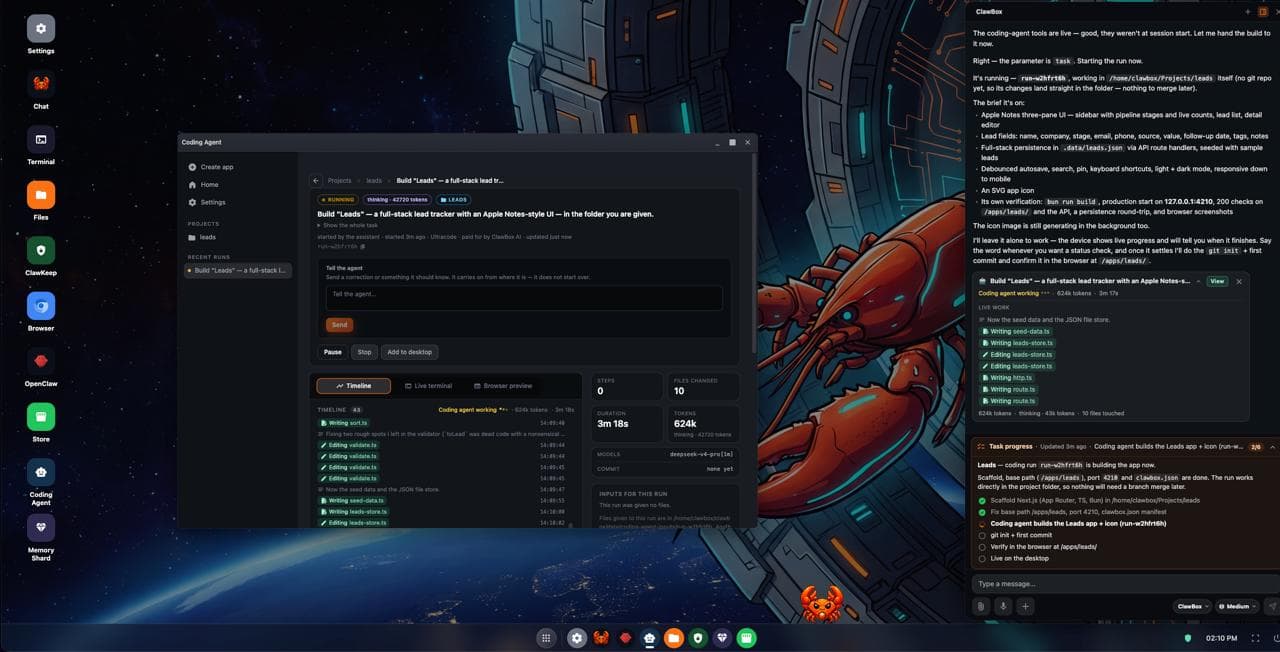
The ClawBox v4 desktop: the assistant hands a build to the Coding Agent, which works in its own window while the chat shows live progress
A real ClawBox v4 desktop, handing a build to the Coding Agent.

The big six

About 2,390 commits went into v4 since 3.9. These are the six you will notice first.

Pro & Max

Coding Agent: hand off the job, get a pull request

Give it a whole coding task and come back to a pull request it has already reviewed. It works in its own window while you do something else.

  • Every run works in its own copy of your project, so it never edits files under you
  • It opens the pull request, then an automatic review pass hunts for defects before it calls the job done
  • Steer it mid-run with a message — and if one Anthropic account hits its limit, it moves to the next and carries on
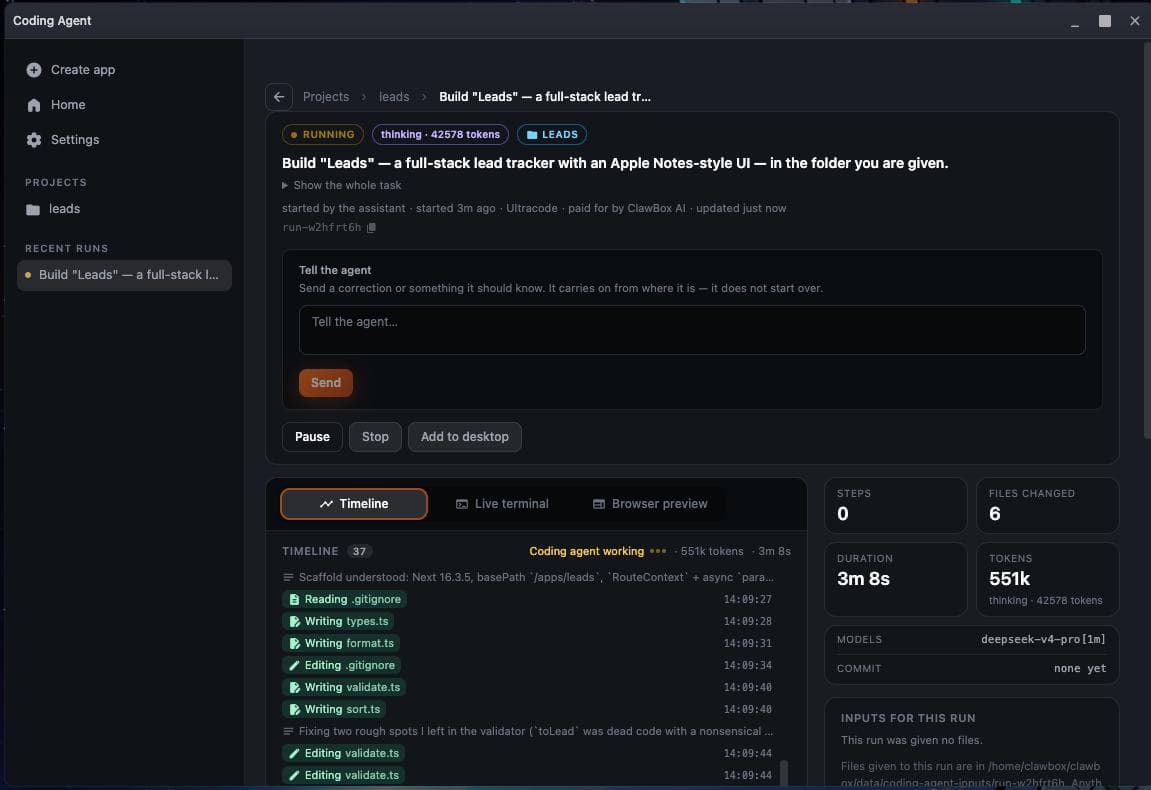
A Coding Agent run in progress: a timeline of files written, steps, duration and tokens

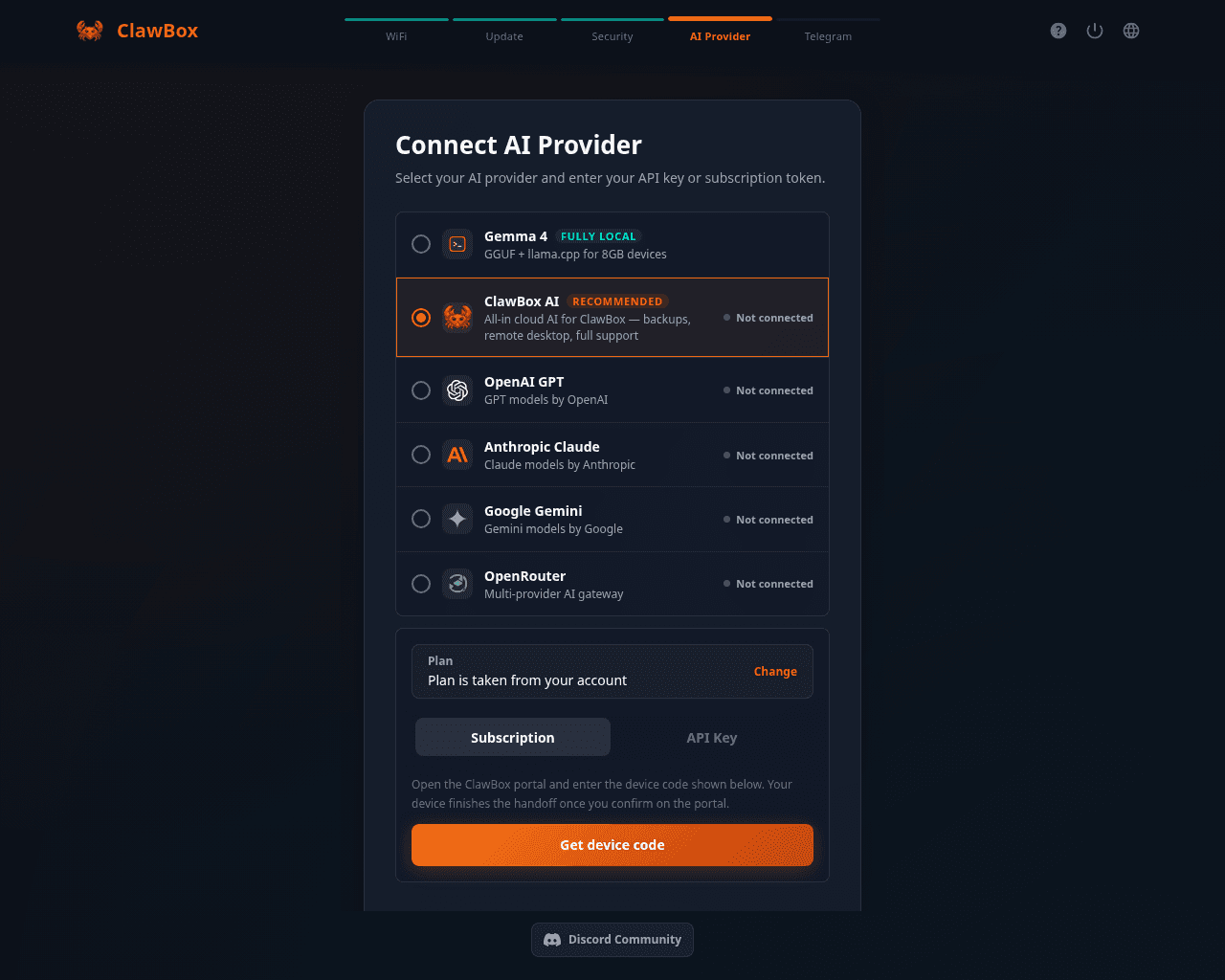
Setup: cloud or fully local, on one screen

The setup wizard's AI Provider step puts ClawBox AI, the recommended choice, next to Gemma 4, the fully local one. Pick either and carry on.

  • Sign in with a subscription you already pay for — Claude Pro/Max, ChatGPT Plus/Pro or Google One AI Premium — or paste an API key
  • Choosing local-only now really sets up Gemma 4 on llama.cpp, so the box can chat the moment setup ends
  • Gemma 4 E2B ships on the box: Google's quantisation-aware Q4_0 build, 3.1 GB
The ClawBox setup wizard's AI Provider step on a real box: Gemma 4 marked Fully local, ClawBox AI marked Recommended, then OpenAI, Anthropic, Google Gemini and OpenRouter

A chat that fits your phone, and models that switch instantly

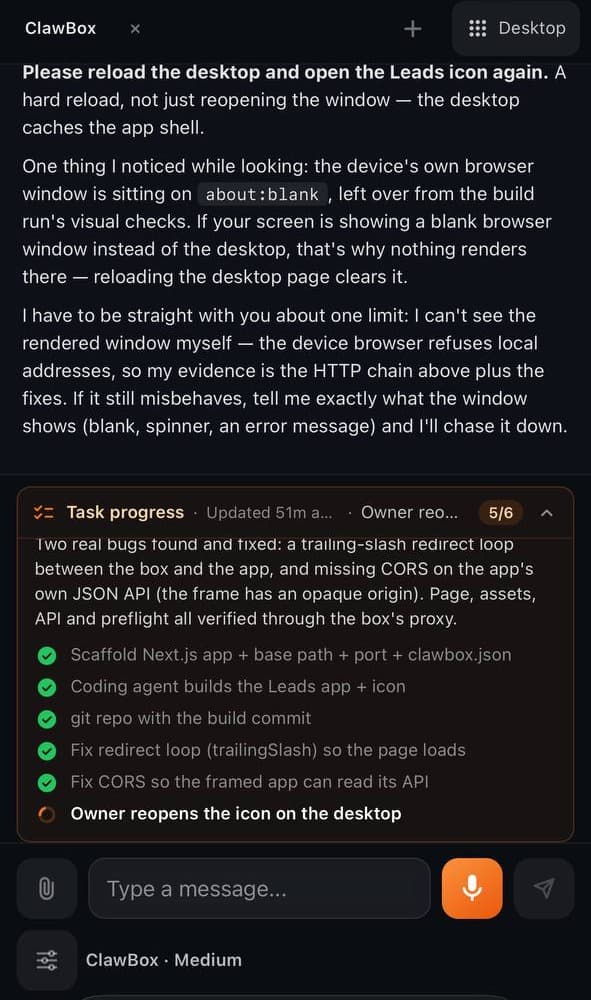
Open your box on a phone and you land straight in the chat, with a thumb-sized microphone. Provider, model and reasoning effort are pills under the message box — change one and it applies to the running agent, with no restart.

  • A progress card shows what's done and what's running on long tasks
  • Type / for slash commands with autocomplete, including the ones skills and plugins add
  • When the assistant needs a decision, it asks with a card of options and waits for your answer
ClawBox chat on a phone: the assistant reports on a build, with the task-progress card and the thumb-sized microphone
Pro & Max

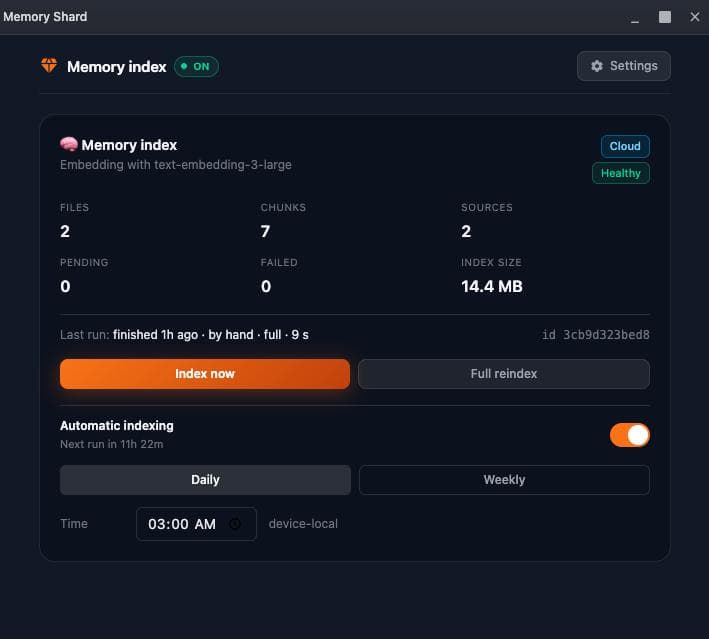
Memory Shard: a memory you can search

Your notes, past conversations and folders of your own documents become an index the assistant can search. PDF, Word, OpenDocument, RTF and TXT files are converted before indexing.

  • The cloud index is the default, so there's no 639 MB model to download before your first index
  • Prefer it on the box? Switch to the local index and it stays that way
  • Its own desktop app, on both the OpenClaw and Hermes Agent editions
Memory Shard with the index switched on and healthy, indexing daily at 03:00
Pro & Max

One address that stays put

A box linked to your ClawBox account answers on the same address every time, through a named Cloudflare tunnel. No new random URL after a restart, and no Cloudflare account needed.

  • Reboot it, or let your internet provider change your IP — the address stays the same
  • If the named tunnel can't start, the box falls back to a quick tunnel by itself
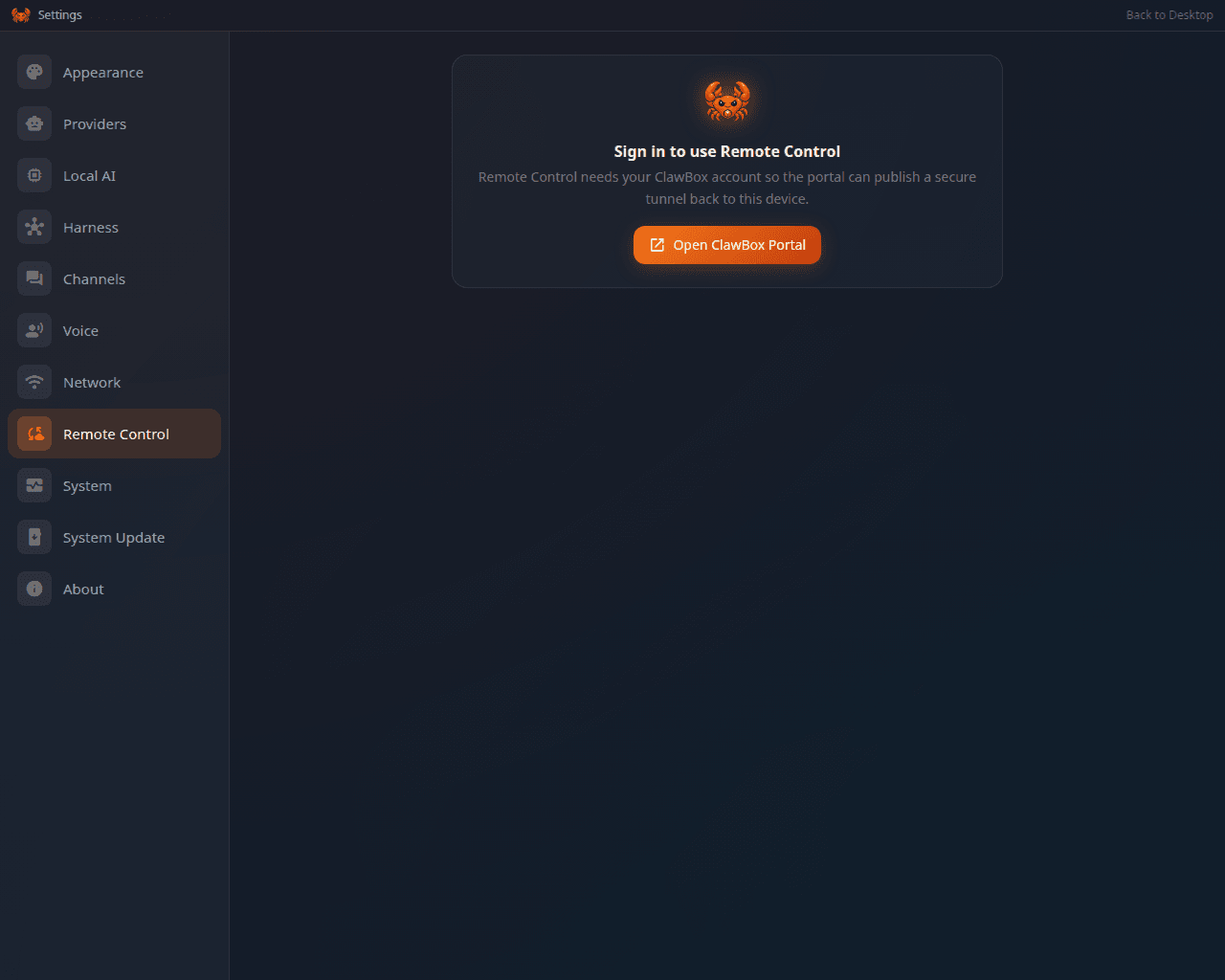
  • Settings → Remote Control shows which one is running
ClawBox Settings → Remote Control on a v4 box
Max plan

OpenClaw ↔ Hermes Agent, one button

Settings → Harness re-makes your box as the other edition, without a reflash. The same button swaps it back.

  • Your ClawBox AI sign-in, Telegram bot and Memory Shard folders come along
  • It proves the other agent runs before it switches over
  • Needs an internet connection and about 3 GB of free space
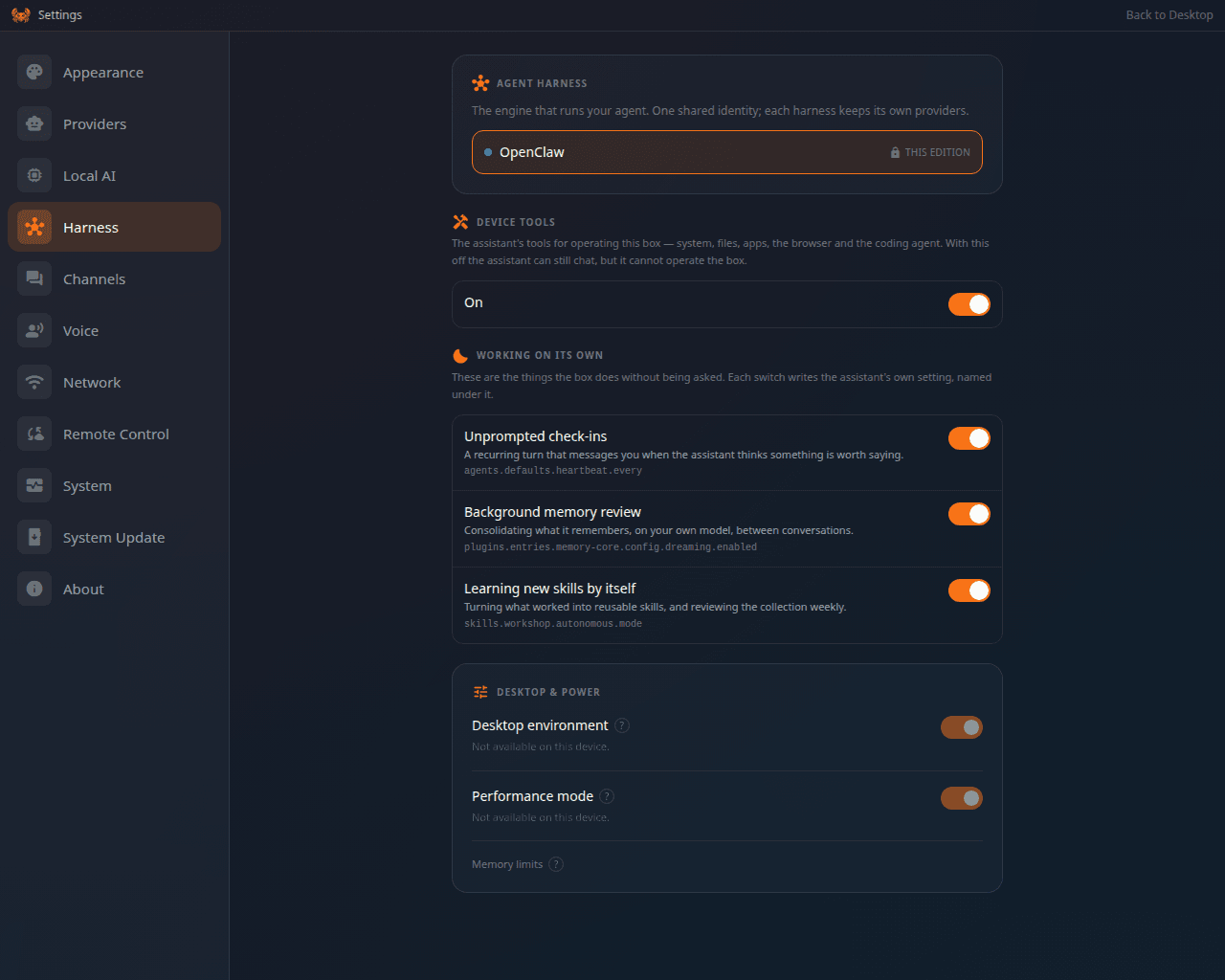
ClawBox Settings → Harness, where a box switches between OpenClaw and Hermes Agent

Features marked Pro & Max or Max plan need a ClawBox AI subscription. Everything else in v4 works on every box.

Compare ClawBox AI plans 

And a lot more

The rest of 4.0, from your voice to the firewall.

  • Talk to it, hear it answer

    Tap the microphone, say what you need and get a spoken reply. Kokoro speaks on the box; cloud voice comes with Pro and Max. Telegram voice notes are transcribed for you.

  • It sees, and it draws

    Attach, paste or snap a photo and the assistant understands what's in it. It can generate images through ClawBox AI, too.

  • WhatsApp, and a simpler Discord

    Pair WhatsApp with an in-app QR code. For Discord, paste the bot token: the box reads the rest from Discord and builds the invite link.

  • An email assistant that waits for you

    It can send, read your inbox on demand or answer senders for you — and every outgoing email waits for your approval.

  • Lighter installs, faster updates

    Only llama.cpp and Gemma 4 come preinstalled; voice, transcription and embedding models install when you ask, from Settings → Local AI. The 3.9 → 4.0 update skips about 17 minutes of work.

  • Newer models

    ClawBox AI answers with DeepSeek V4 Flash and a one-million-token context window. The Anthropic default is now Claude Opus 5.

  • A redesigned red crab

    The new red crab lives all over the box, and Settings → Appearance → Mascot Pet adds a Hermes Agent pet and a gallery of community characters.

  • Locked down by default

    The inbound firewall denies by default, changing the device password signs out every session, and coding runs start with their privileges dropped and their secrets encrypted.

  • Ten languages

    The box's own interface speaks English, Bulgarian, German, Spanish, French, Italian, Japanese, Dutch, Swedish and Chinese.

What changed

The same box, doing more of the work.

  • Remote address

    Before 4.0A new random URL after every restart

    In 4.0One address that stays put

  • Changing edition

    Before 4.0Reflash the box

    In 4.0One button in Settings → Harness

  • Switching models

    Before 4.0Agent restart and a reconnect

    In 4.0Pills under the message box, applied instantly

  • Voice and transcription

    Before 4.0Installed automatically

    In 4.0Install on click, or use the cloud on a paid plan

  • Updates

    Before 4.0Rebuilt CUDA and re-downloaded models

    In 4.0Skip both — about 17 minutes saved

  • Coding

    Before 4.0Your job

    In 4.0Hand it off, get a reviewed pull request

Already have a ClawBox?

v4 arrives as an update. Your data stays where it is.

  1. Open Settings → System Update on your box.

  2. Start the update. The first update to 4.0 also installs Node.js 24, so give it time.

  3. The box reboots once at the end — expect a minute or two offline, then it reconnects by itself.

Get the box that runs v4

NVIDIA Jetson Orin Nano Super, 512 GB NVMe, OpenClaw preinstalled and Gemma 4 on board. No subscription required.

€749 one-time

30-day money-back guarantee

ClawBox Hermes Edition is not affiliated with, endorsed by, or sponsored by Nous Research. Not affiliated with Hermès International S.A.