
We started ClawBox with a straightforward goal: run your AI assistant on hardware sitting right in your office or home. With the launch of the ClawBox v4 Beta, that setup shifts into a complete operating environment for your business.
The Coding Agent: Your Assistant's Developer
OpenClaw and Hermes handle chat, organization, and general tasks. When you need real software built, the assistant hands off the task to the Coding Agent.
Instead of guessing through a single prompt loop, the Coding Agent runs specialists in sequence:
- Coder: Writes the code in your designated project folder.
- Reviewer: Inspects the output critically and sends it back if it fails checks.
- Browser: Opens the built app, tests the interface live, and logs visual proof that it works.
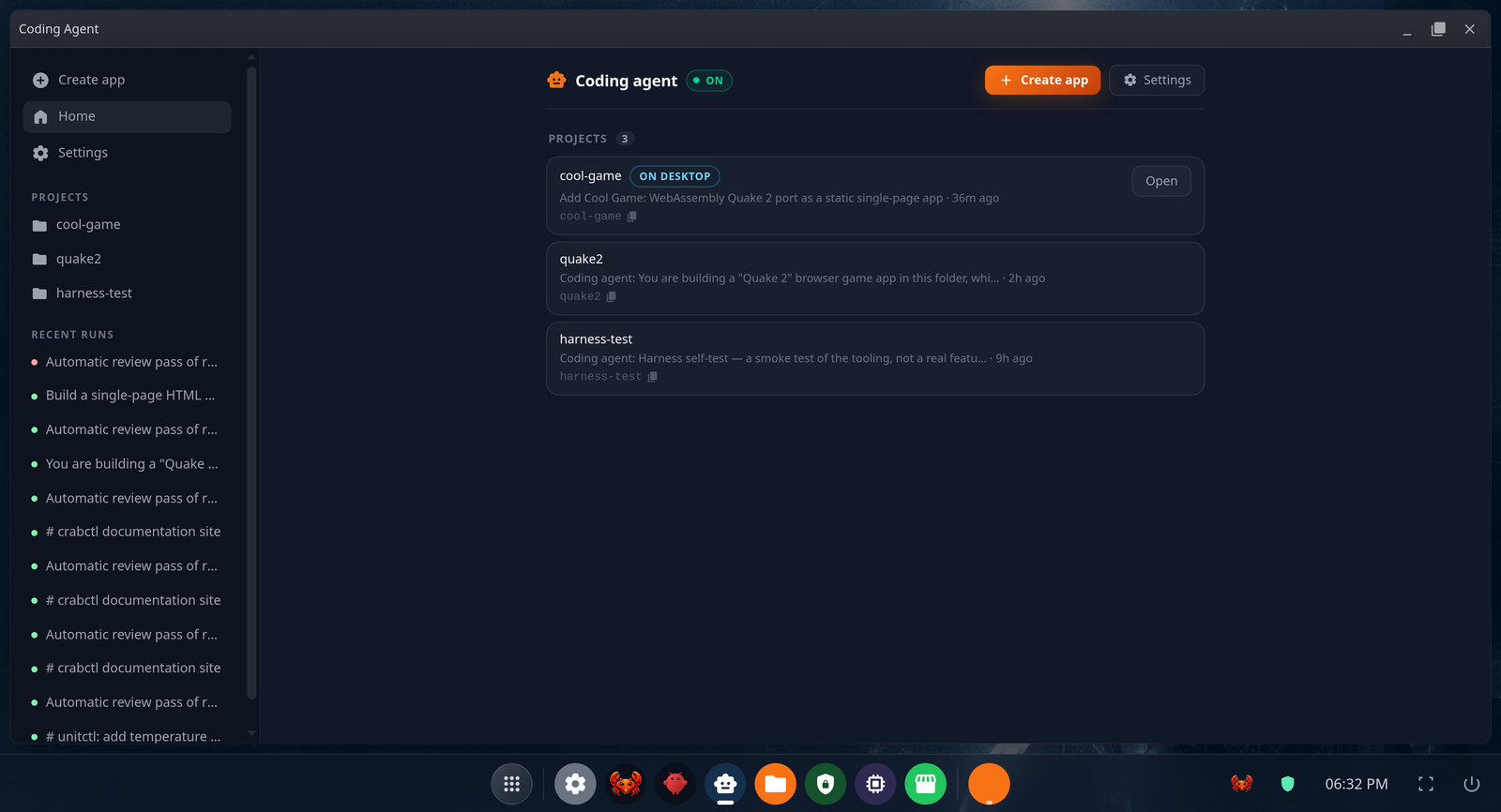
It tracks history across runs, backs up work directly to GitHub, and self-checks before returning results. Because command access requires caution, the Coding Agent ships turned off by default and requires a deliberate two-step activation by the owner.
Expanded Channels & Outbox Control
Managing your system no longer means sitting at a terminal. Version 4 expands multi-channel support directly inside the desktop interface:
- WhatsApp: Pair instantly by scanning a QR code on screen.
- Discord: Connect a bot with live verification and control access with member selection pickers.
- Telegram: Connect via private pairing rather than an open public bot.
Zero-Trust Email Gates
Handling email locally brings specific safety requirements. Version 4 adds a dedicated mail subsystem built around hard security boundaries:
- Read-Only Mail Access: The mail reader is physically incapable of modifying your inbox or marking messages as read.
- Mandatory Outbox Approval: Every AI-generated response becomes a draft waiting for your sign-off. The assistant cannot send mail on its own.
- Batch Review: Approve or reject batches of correspondence from the desktop or your Telegram chat.
System Hardening & Local Models
Version 4 refines how you configure local inference options like Gemma or Ollama, manage Kokoro text-to-speech, and control vector memory indexes.
If your vector embeddings need re-indexing after an update, the Memory Shard panel gives you clear stats on chunks, sources, and automated background syncs.
Security Infrastructure
- Locked Root Access: Unrestricted admin shortcuts are replaced with a strict, minimal list of approved system operations.
- Pre-Setup Isolation: Network and system metrics are hidden before initial device setup is complete.
- Encrypted Backups: System snapshots are automatically tidied and encrypted with your password before saving.
v2.2.3 vs v4 Beta
| Capability | v2.2.3 | v4 Beta |
|---|---|---|
| Software Creation | Generates web apps via MCP prompts | Multi-agent Coding Agent (Coder, Reviewer, Browser pass) |
| Email Handling | Not included | Read-only access with strict manual outbox sign-off |
| Messaging Channels | Telegram setup wizard | WhatsApp QR pairing, Discord validation, Telegram private pairing |
| Security Architecture | Standard system access | Locked root permissions, pre-setup privacy, password-encrypted backups |
The v4 Beta is live today. If you want early access to the Coding Agent, outbox approval gates, and system updates, join our community.