
OpenClaw 硬件要求 (2026)
运行 OpenClaw 需要什么?
从 4GB 最低门槛到推荐的 67 TOPS 配置 — OpenClaw 真正需要的硬件规格,以及帮你跳过安装环节的预配置主机。
📅 Updated March 2026
With OpenClaw v2026.3.14 and NemoClaw from NVIDIA, hardware requirements have evolved. The minimum specs remain 4GB RAM and Node.js 20+, but for the best experience with browser automation, multi-agent workflows, and voice pipelines, we now recommend dedicated hardware with NVIDIA CUDA support. The Jetson Orin Nano remains the sweet spot — 67 TOPS of AI compute at just 15W, enough for simultaneous LLM inference, browser automation, and voice processing.
Need the recommendation, not just the specs?
This page explains minimum and recommended specs. If you want the final buying answer, read our guide to the best OpenClaw hardware, where we compare ClawBox, Raspberry Pi, Mac Mini, and other always-on AI setups. For the 2026 buying decision — mini PC vs Jetson vs Mac mini vs ClawBox, with real power costs and setup times — see our full comparison guide. Prefer measured numbers over spec-sheet claims? See the real local-LLM benchmark from a production ClawBox — 22–45 tokens/sec at under 20 watts. And if you're still wondering what OpenClaw actually is, our explainer covers the assistant itself before you pick hardware for it.
ClawBox规格
了解ClawBox硬件的全部信息
AI性能
67 TOPS
NVIDIA Jetson Orin Nano Super with dedicated AI accelerator
GPU
1024-core Ampere GPU
625 MHz base clock, 40.96 GB/s memory bandwidth
内存
8GB LPDDR5
102.4 GB/s bandwidth, unified CPU/GPU memory
存储
512GB NVMe SSD
PCIe Gen3 x4, 2,100 MB/s read speed, pre-installed
功率
7-25W
15W typical operation, 19 V barrel-jack power supply included
连接性
WiFi 5 + Bluetooth 5.0
Dual-band 802.11ac, Gigabit Ethernet port
端口
USB-A, USB-C, HDMI, Ethernet
USB-C is for data, not power; 19 V DC barrel power input, microSD slot, 40-pin GPIO header
尺寸
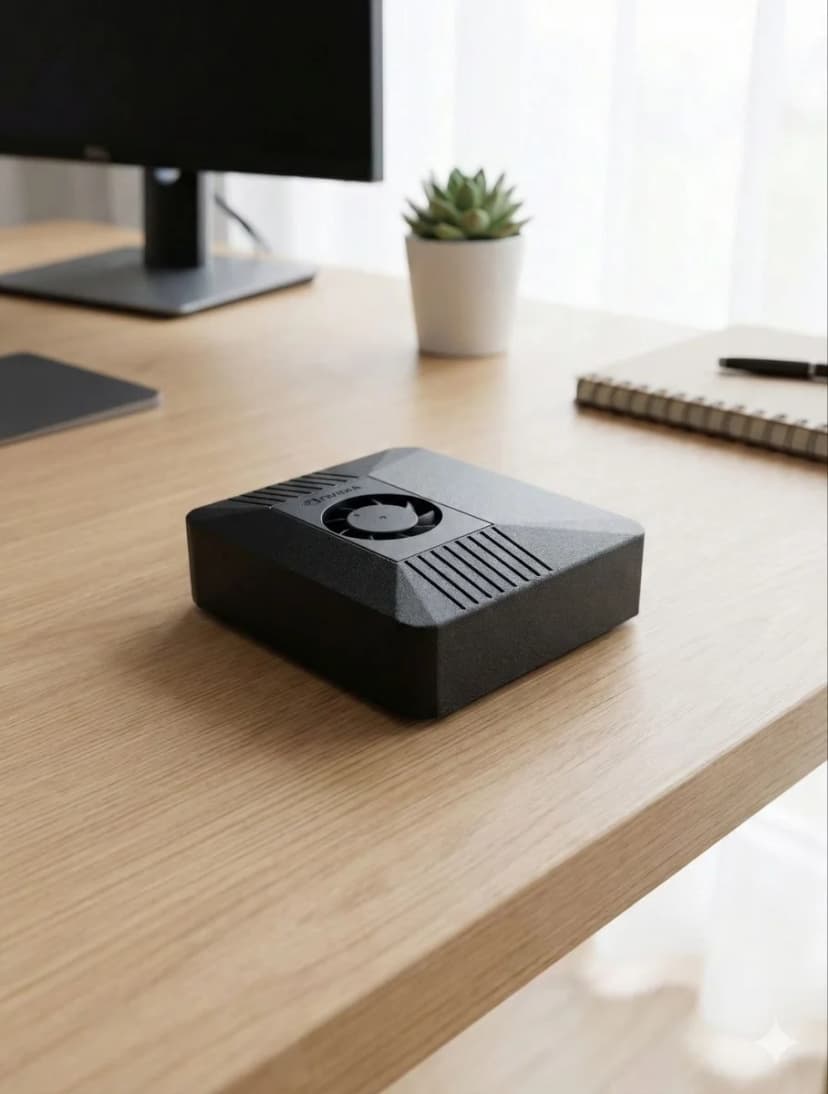
100 × 79 × 31mm
Compact carbon color case, 260g total weight
AI 模型性能
您可以在 ClawBox 上运行的内容
| 模型 | 速度 | 质量 |
|---|---|---|
| Llama 3.2 1B (Q4) | ~45 tok/s | Fast |
| Gemma 2 2B (Q4) | ~26 tok/s | Good |
| Qwen2.5 3B (Q4) | ~23 tok/s | Excellent |
| Phi-3 Mini 3.8B (Q4) | ~22 tok/s | Excellent |
| 7–8B class (Q4) | ~10 tok/s | Tight fit |
对于较大的模型, 请使用带云API的BYOK(自带密钥)(Claude, GPT, Gemini).
包含内容
硬件
- ✓ NVIDIA Jetson Orin Nano超级版
- ✓ 512GB NVMe SSD (预安装)
- ✓ 碳色外壳
- ✓ 19V DC 圆口电源适配器(附适合您所在地区的插头或转换插头)
- ✓ 以太网和WiFi就绪
软件
- ✓ Ubuntu 22.04 LTS
- ✓ OpenClaw 预安装
- ✓ 浏览器自动化就绪
- ✓ 语音管道已配置
- ✓ 免费软件更新
功耗要求
7W 待机
7W
15W 典型值
15W
25W 最大值
25W
附带的 19V DC 圆口电源适配器即可满足您的需求。
OpenClaw 服务器要求
一台无头 (headless)、全天候在线的 OpenClaw 服务器到底需要什么
把 OpenClaw 当作服务器来跑 — 不接显示器,只留一台常开的机器,通过 Telegram 或 WhatsApp 随时召唤 — 这是大多数人最终的使用方式。要求不高,但确实存在:智能体会让浏览器、Node.js 运行时,以及往往还有一个本地模型,全天候保持待命。
| 组件 | 最低 | 推荐 |
|---|---|---|
| RAM | 4GB | 8GB 统一内存 (用于本地 AI 模型) |
| CPU | 2 核 (x86_64 或 ARM64) | 4 核以上,或带 CUDA 的 Jetson |
| 存储 | 20GB 可用空间 | 50GB+ NVMe SSD |
| 系统与运行时 | Linux 加 Node.js 20+ | 无头 Ubuntu LTS,Node.js 20+ |
便宜的 VPS 账面上够到了最低要求,但共享 vCPU 和突发型 RAM 在实际使用中并不够:浏览器自动化会让 CPU 瞬间打满,本地模型需要真正的内存带宽,而在租来的基础设施上全天候运行,意味着你的智能体 — 连同它的数据 — 都住在别人的云里。
预配置的替代方案:ClawBox 是一台 67 TOPS 的 Jetson 服务器,出厂即装好 OpenClaw,专为这类工作负载调校,功耗仅 15W。 看看 ClawBox 能做什么 →
Why Dedicated Hardware for OpenClaw?
Running OpenClaw on dedicated hardware vs shared VPS or your daily-use computer
✓ Dedicated Hardware
- ✓24/7 uptime — your AI assistant never sleeps. Heartbeat checks, scheduled tasks, and proactive monitoring run around the clock without interruption.
- ✓No resource competition — CPU, GPU, and RAM are 100% dedicated to OpenClaw. No other apps fighting for memory or causing unexpected slowdowns.
- ✓Consistent performance — predictable response times for AI inference, voice processing, and browser automation. No “noisy neighbor” problems.
- ✓Lower long-term cost — ClawBox at €749 one-time vs VPS at €20–40/month (€720–1,440 over 3 years). The hardware pays for itself in 19–38 months.
- ✓True privacy — your data stays on your physical hardware, on your network. No cloud provider has access to your conversations, files, or automations.
✗ Shared VPS / Your Laptop
- ✗Downtime when you close your laptop — OpenClaw stops when your computer sleeps, restarts, or runs out of battery.
- ✗Resource contention — browser tabs, Slack, VS Code all compete with OpenClaw for RAM and CPU. Performance degrades unpredictably.
- ✗VPS costs add up — a GPU-capable VPS costs €40–80/month. Over 3 years that's €1,440–2,880 — far more than dedicated hardware.
- ✗No local AI inference — most VPS providers don't offer GPU access. You're stuck with cloud API calls only.
The ideal dedicated hardware for OpenClaw: NVIDIA Jetson Orin Nano at just 15W.
67 TOPS of AI performance, fanless operation, always-on by design. ClawBox packages this with a 512GB NVMe SSD, carbon color case, and OpenClaw pre-installed — ready in 5 minutes.
Frequently Asked Questions
What are the minimum hardware requirements for OpenClaw?▼
What is the best hardware for OpenClaw?▼
Can I run OpenClaw on a Raspberry Pi?▼
Does OpenClaw require a GPU?▼
What is the best device for OpenClaw?▼
What are the OpenClaw system requirements for local AI models?▼
Can I build my own computer for OpenClaw instead of buying ClawBox?▼
What is the best mini PC for OpenClaw?▼
What hardware do I need to run OpenClaw?▼
What are the OpenClaw server requirements?▼
What do I need to run OpenClaw?▼
How big is OpenClaw / the ClawBox?▼
Ready to Get Started?
ClawBox comes with everything you need — pre-installed, pre-configured, ready in 5 minutes.
30-day money-back guarantee · Ships to 30+ countries · DHL Express