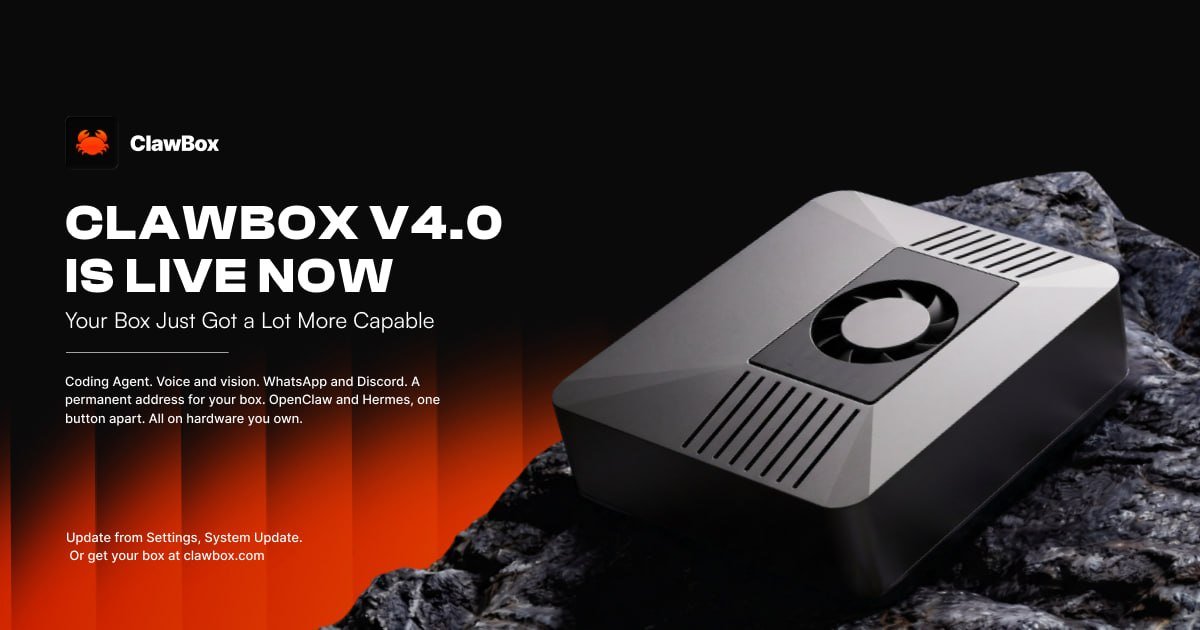
ClawBox 4.0 adds a coding agent that ships reviewed pull requests, spoken replies, image understanding and generation, WhatsApp pairing, a permanent address for every box, and a one-button switch between OpenClaw and Hermes.
ClawBox 4.0 is live today, and it's the release where the box starts doing work while you're not watching it. You can hand it a coding task and come back to a pull request it has already reviewed. You can talk to it and hear it answer. Send it a photo and it knows what's in it. And it picks up on WhatsApp now.
Here's everything that's new.
Important: Owners can update from Settings → System Update. The first update to 4.0 also moves the box to Node.js 24, so the system-packages step takes longer than usual. Let it finish.
Coding Agent: a developer inside your box
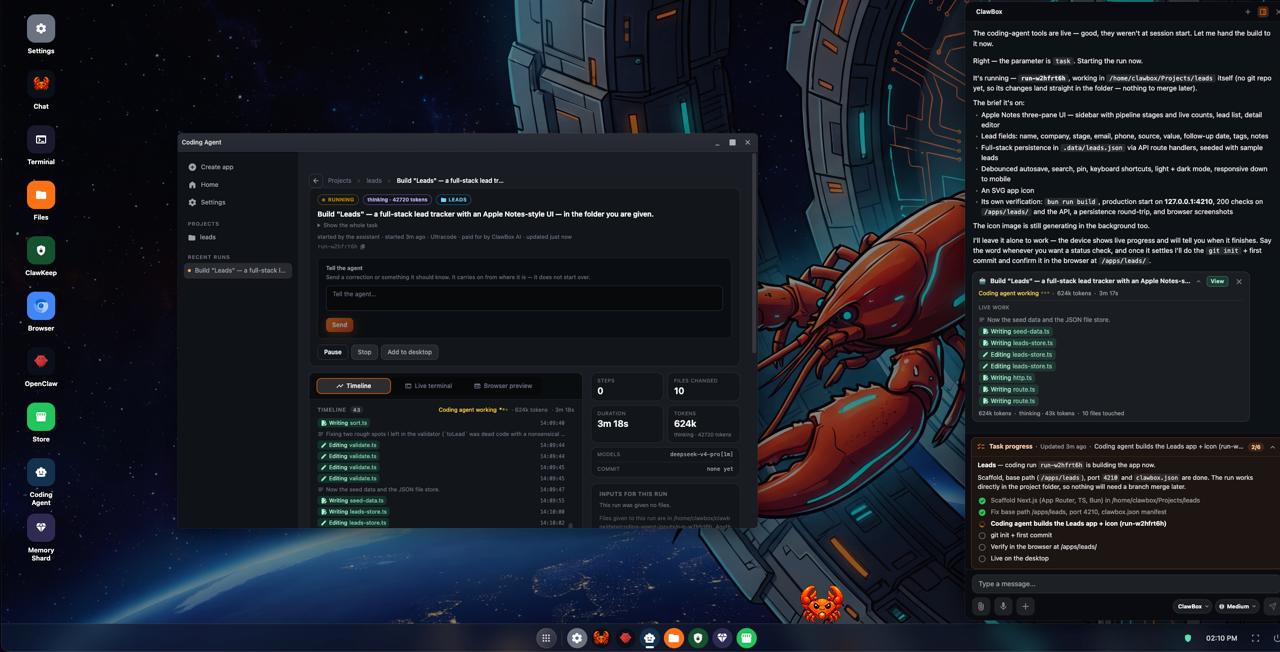
Coding Agent is a new desktop app that takes a prompt and turns it into a working project. You get a proper workspace with a live view of what it's building, a files tab, a code editor with syntax colour and a terminal.
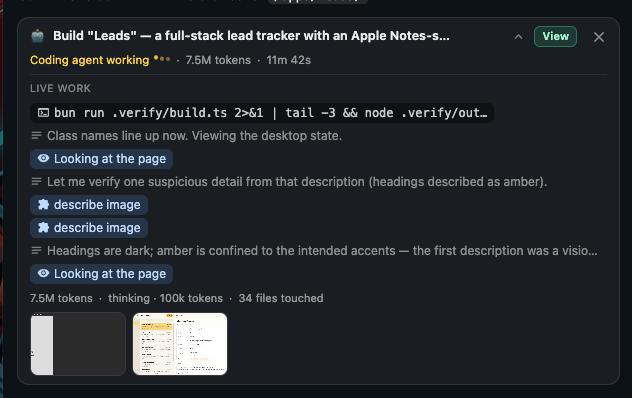
Under the hood it works like a small team. A planner breaks the job down, workers build in parallel in separate git worktrees, and a reviewer checks each task. Before it calls anything done, it opens the result in a real browser on the box's screen and checks that it actually works.
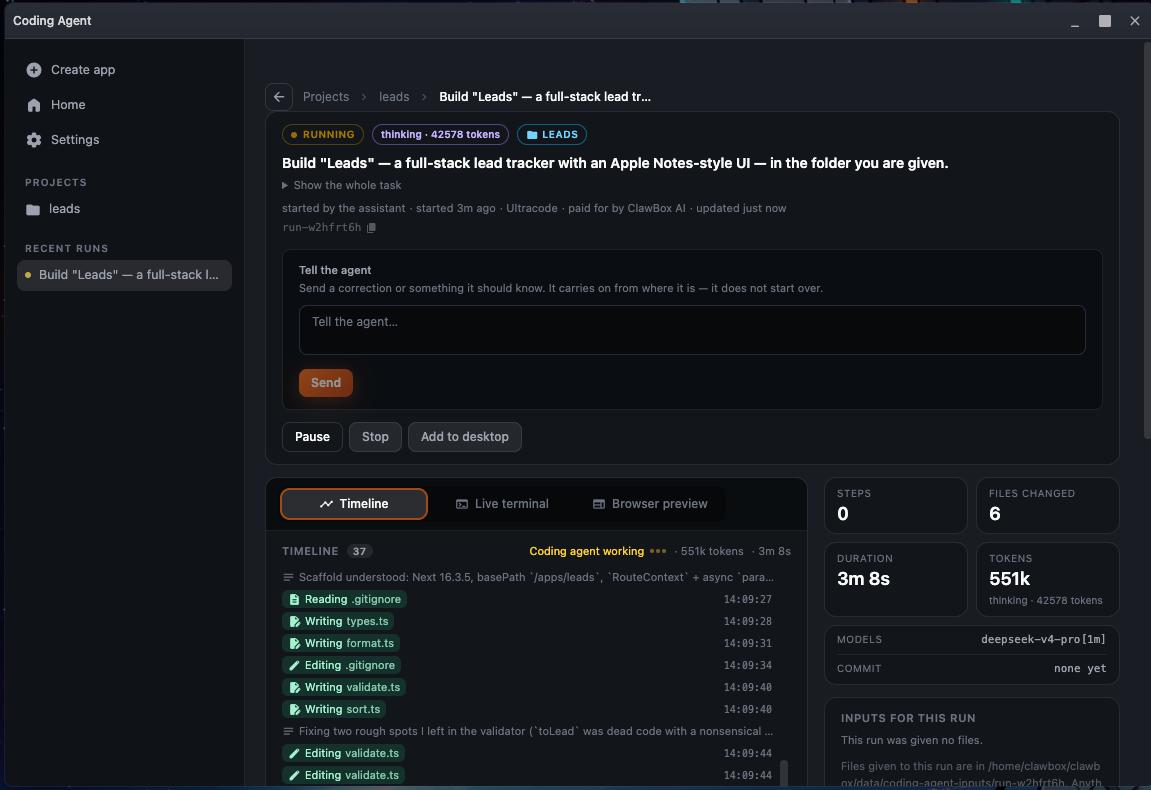
That last step is the one I'd point any skeptic at. Getting an AI to write code is easy these days. Getting one that tests its own output before it bothers you is the part that gives you your evening back.
- GitHub, end to end: import a project from GitHub or a local folder, open pull requests, watch CI and review rounds, and bring unmerged work home.
- Vercel deploys for preview and production (behind a Beta flag for now).
- Steer it live. Send a message into a run while it works, from the chat or from Telegram, without stopping it. Several runs can go at once.
- Runs that survive. They outlast app restarts, can be paused and resumed, and tell you which allowance ran out and when it comes back.
- You choose who pays: ClawBox AI or your own Anthropic access. Add several Claude Pro/Max accounts and API keys, and when one hits its limit mid-run, the run moves to the next and keeps going in the same session.
- Owner controls: an allow-list for permissions, plus a private secret store for delegated runs.
- Create App launches it straight from the chat.
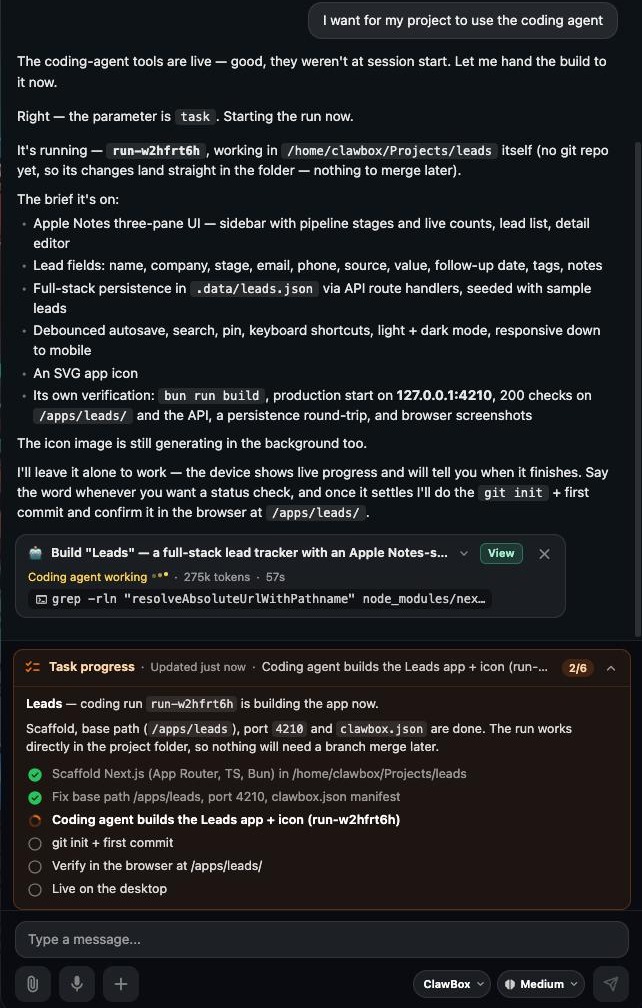
Important: Coding Agent needs a paid ClawBox AI plan (Pro or Max).
Voice: talk to your ClawBox
Tap the microphone in the chat, say what you need, and the box answers out loud. Spoken replies play in a ClawBox waveform player, and a one-tap toggle in the composer turns them on and off.
You pick the voice. Kokoro runs on the box itself, and the ClawBox AI cloud voice is there on Pro and Max. The chat shows which one actually answered, so you're never guessing. Voice notes sent to your Telegram bot get transcribed automatically, which is honestly how I use it most. Everything here works on both OpenClaw and Hermes.
Important: Spoken replies are off by default. Turn them on from the chat composer. To run voice or Whisper transcription on the box, install them from Settings → Local AI. On a paid plan, the ClawBox AI cloud handles them without the install.
Vision and image generation
Attach or paste an image in the chat and the assistant understands what's in it: a screenshot of an error, a photo of a whiteboard, a receipt you want sorted. The pictures stay in the conversation history, so you can come back to them later in the thread.
It works the other way too. The assistant can generate images through ClawBox AI, on both editions, and your usage card in Settings → Providers keeps an images meter right next to your chat allowance.
WhatsApp, Discord and an email assistant that waits for you
WhatsApp pairs with an in-app QR code on both editions. Scan it with your phone and your box is in your chats. Discord setup is now: paste the bot token. The box reads your application id and servers from Discord itself and builds the invite link.
The channel list also got more honest. It shows which channels are actually receiving messages, not only which ones are configured.
The email assistant runs in one of three modes. It can send only, read your inbox on demand, or answer senders for you. Nothing leaves without you, though. Every outgoing email waits for your approval, and you can approve one message or a whole batch in a single tap, right from your Telegram chat if you like. You can also open the real email from the chat whenever you want to check what the assistant saw.
Memory Shard: see what the box remembers
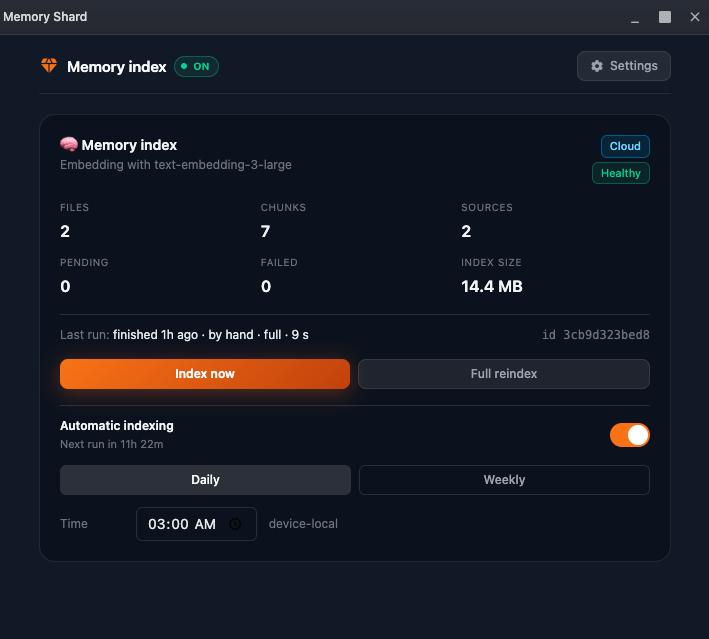
Memory Shard turns your notes, your past chats and folders of your own documents into an index the assistant can search. You can browse what it remembers and where each piece is indexed.
Search runs on ClawBox AI cloud embeddings by default, so there's no 640 MB model to download before your first index. If you'd rather keep it on the box, switch to the local model in settings and it stays that way. Memory Shard works on both editions and needs Pro or Max.
One address that stays put
Link your box to your portal account and it gets a permanent address of its own, served through a named Cloudflare tunnel. Reboot it, or let your ISP shuffle your home IP around. The address doesn't change. Bookmark it and forget about it.
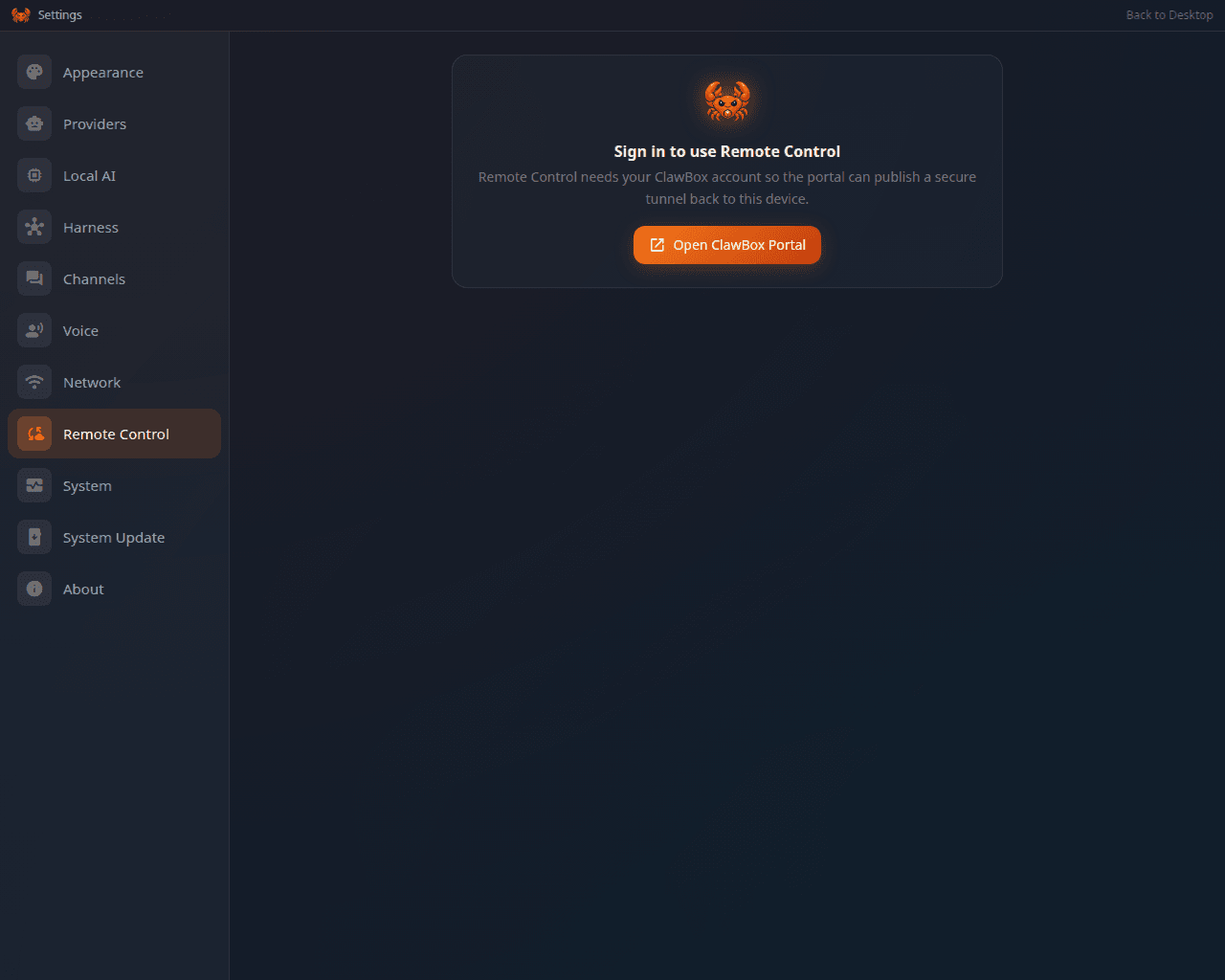
Boxes without a named tunnel yet still fall back to the old random trycloudflare.com link. Both live in Settings → Remote Control.
OpenClaw ↔ Hermes, one button
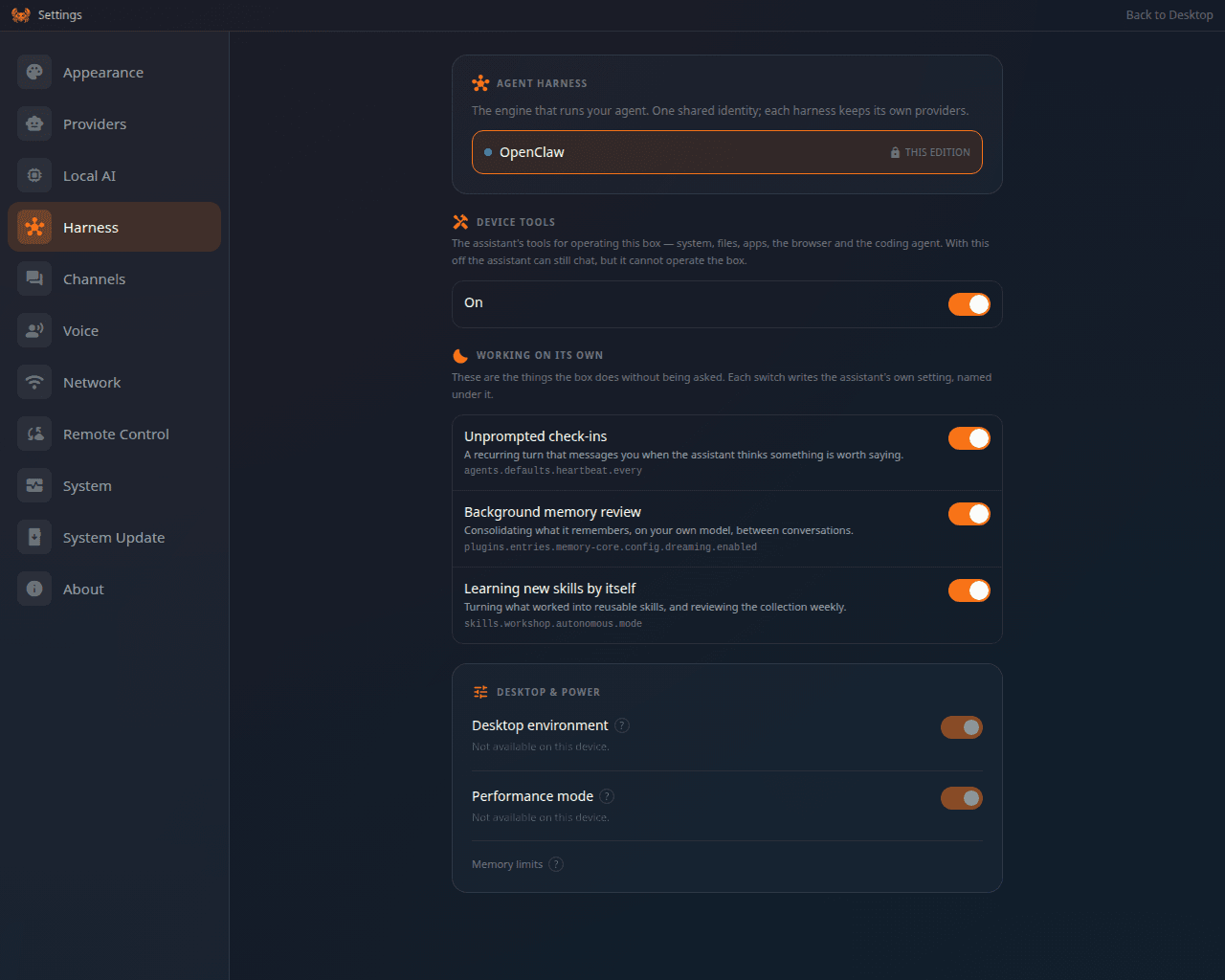
The new Settings → Harness page re-makes your box as the other edition without a reflash. Your memory folders come along, and so do your ClawBox AI sign-in and Telegram bot. The same button swaps you back.
Important: Switching needs the Max plan, an internet connection and about 3 GB of free disk. If you're not on Max, the box keeps the harness it has, at no cost.
Characters: pick who lives on your desktop
Every box ships with the ClawBox crab, which works fully offline. 4.0 adds a redesigned crab and a Hermes pet, plus a library of community characters under Settings → Appearance → Mascot Pet. Pick one and it downloads on the spot. It's the least serious feature in the release, and the one people in our Discord have asked about the most. Available on every edition.
A chat that fits a phone, and model switching with no restart
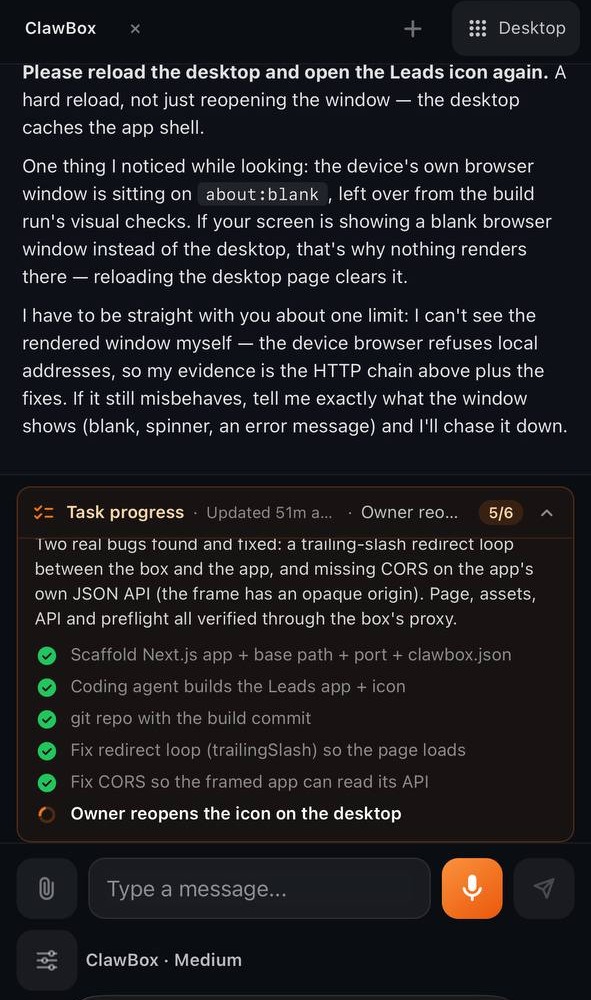
Open your box on a phone and you land straight in the chat. The microphone is sized for your thumb, the composer fits a portrait screen, and Back goes up one level at a time instead of throwing you to the start.
Provider, model and reasoning effort now sit as pills under the message box. Change any of them and it applies to the running agent. No restart, no 30-second reconnect.
If the agent needs a decision from you, it now asks with a card that spells out each option and its consequence, then waits. Type / and you get slash commands with autocomplete, pulled from what your agent and plugins actually publish.
Models and platform
- ClawBox AI chat runs on DeepSeek Flash 4.1, with a one-million-token context window. The Anthropic default is now Claude Opus 5.
- On the box: Gemma 4 E2B, Google's quantisation-aware Q4/INT4 release, running under llama.cpp. It takes about 3.3 GB of memory on the 8 GB Jetson and leaves room for everything else.
- Local-only mode on OpenClaw (and dual) boxes routes everything to the on-box model and switches every cloud provider off. For anything sensitive, that's the switch I'd reach for.
- Live model catalogue straight from the providers, instead of hard-coded lists.
- OpenClaw 2 core (2026.9.3) on Node.js 24, and Hermes agent pinned to v0.21.1.
- 8 GB of disk-backed swap alongside zram for steadier local AI, and the box finally answers in your timezone instead of UTC.
Local AI is opt-in, and updates got faster
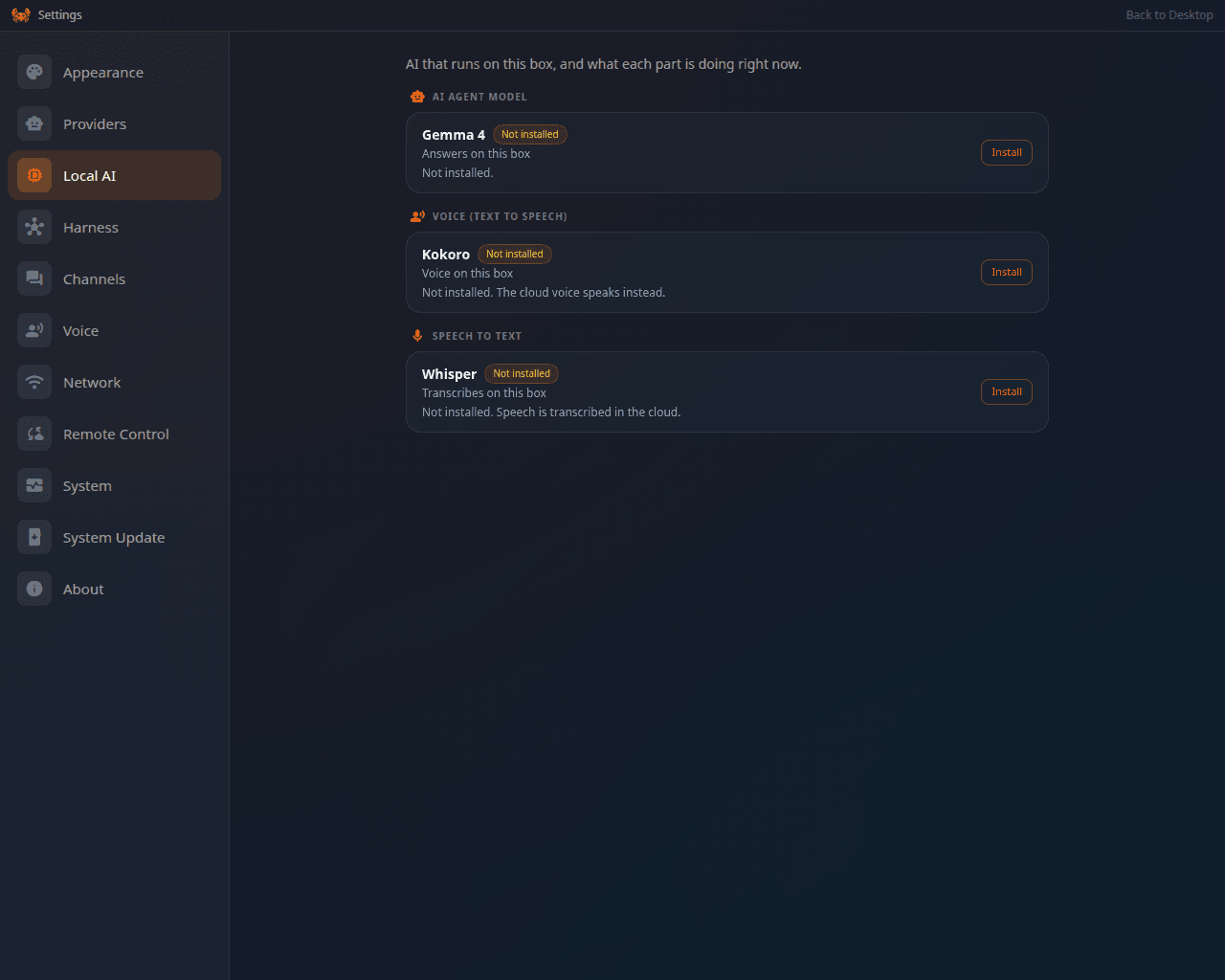
Settings → Local AI is now a plain list with Install, Uninstall, Enable and Disable on every model. Only the llama.cpp runtime and Gemma 4 come pre-installed. Kokoro, Whisper and local embeddings install when you click, never behind your back.
Updates no longer rebuild CUDA or re-download big models. On the 3.9 → 4.0 upgrade, which used to take about 35 minutes, that skips roughly 17 minutes of work.
Security and reliability
- Destructive tool calls against ClawBox system files and model folders are blocked.
- Restarting or shutting down from the chat needs a human to confirm, and factory reset re-verifies the owner before wiping anything.
- The Skills store warns you and asks before installing a skill it flags as dangerous.
- An update that gets interrupted resumes its post-reboot steps, and the desktop stays locked with a progress screen while it runs.
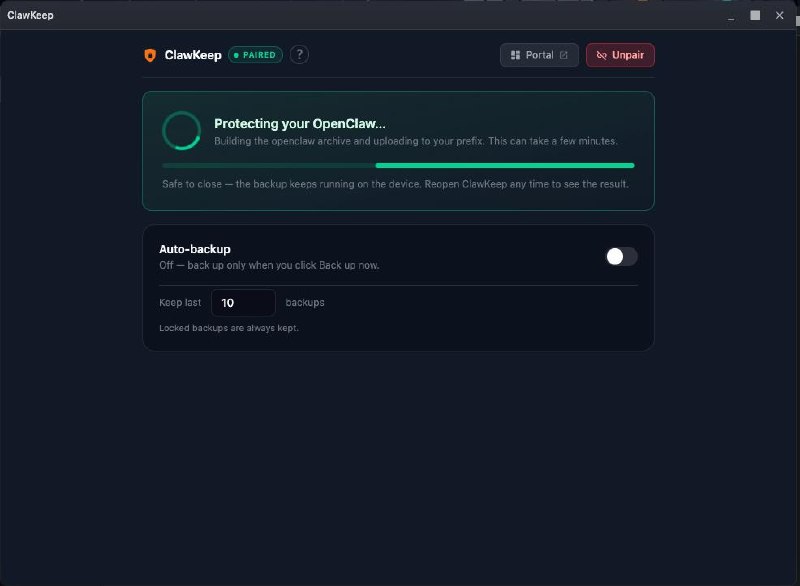
- ClawKeep backups got hardened for large archives. A stale backup no longer shows green.
- Hermes hardening, PKCE for ClawKeep CLI pairing, and CodeQL static analysis in CI.
We also fixed 80+ UI defects across desktop and phone, redesigned Settings, and refreshed the translations.
Which plan gets what
| Feature | Free | Pro | Max |
|---|---|---|---|
| Cloud transcription (speech to text) | ✅ | ✅ | ✅ |
| Coding Agent | — | ✅ | ✅ |
| Memory Shard / cloud memory embeddings | — | ✅ | ✅ |
| Cloud voice (text to speech) | — | ✅ | ✅ |
| OpenClaw ↔ Hermes switch | — | — | ✅ |
Everything else in 4.0 is available on every box.
What changed
| Before 4.0 | After 4.0 | |
|---|---|---|
| Remote address | New random URL after each restart | One permanent address |
| Changing edition | Reflash | One button in Settings → Harness |
| Switching models | Agent restart and a reconnect | Pills under the message box, instant |
| Voice & transcription engines | Installed automatically | Install on click, or cloud on a paid plan |
| Updates | Rebuilt CUDA, re-downloaded models | Skip both, about 17 minutes saved |
| Coding | Your job | Hand it off, get a reviewed PR |
Before you update
- The first update to 4.0 installs Node.js 24, so give the system-packages step extra time.
- Voice and Whisper are no longer installed automatically. Grab them from Settings → Local AI, or use the ClawBox AI cloud on a paid plan.
- Spoken replies start off. Turn them on in the chat composer.
Then give it a real job, ideally the one you've been dodging for a week, and tell us in Discord what it did with it. Good or bad, we read all of it.
Full changelog: docs.clawbox.com/whats-new · Community: Discord