
OpenClaw-hardwarevereisten (2026)
Wat heeft u nodig om OpenClaw te draaien?
Van het 4GB-minimum tot de aanbevolen 67-TOPS-configuratie — de echte specs die OpenClaw nodig heeft, en de voorgeconfigureerde box die de installatie overslaat.
📅 Updated March 2026
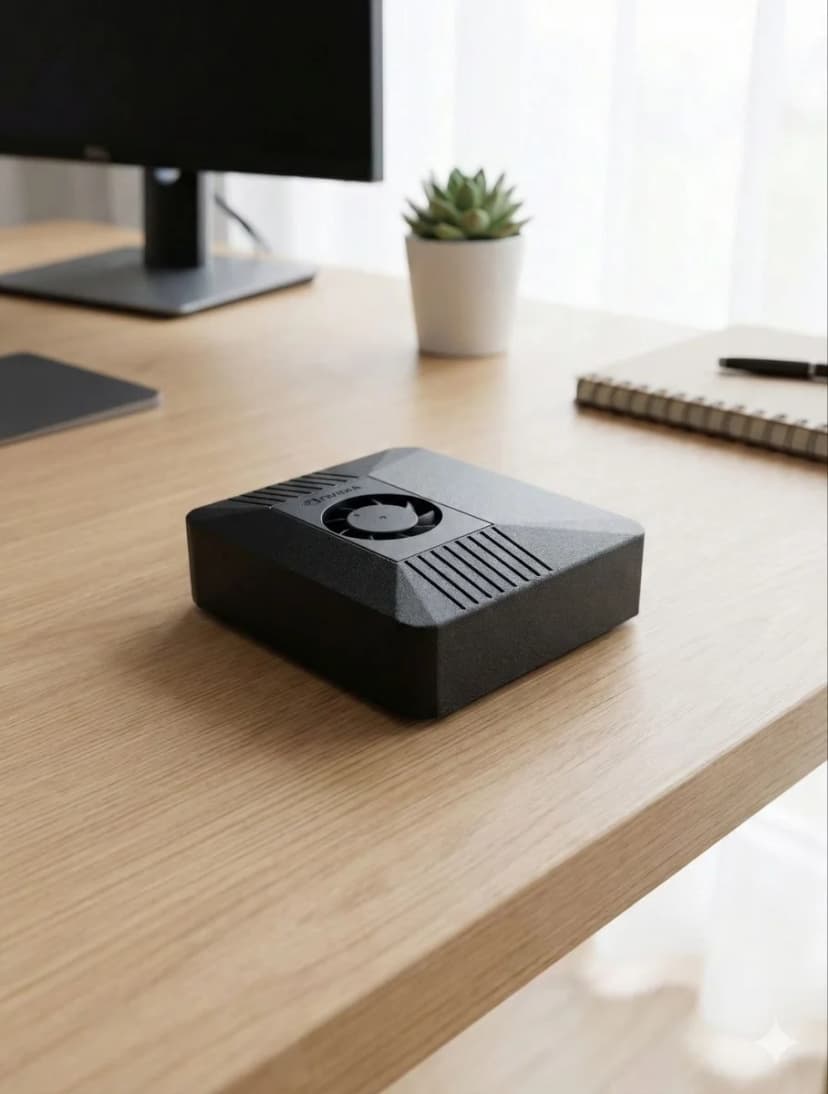
With OpenClaw v2026.3.14 and NemoClaw from NVIDIA, hardware requirements have evolved. The minimum specs remain 4GB RAM and Node.js 20+, but for the best experience with browser automation, multi-agent workflows, and voice pipelines, we now recommend dedicated hardware with NVIDIA CUDA support. The Jetson Orin Nano remains the sweet spot — 67 TOPS of AI compute at just 15W, enough for simultaneous LLM inference, browser automation, and voice processing.
Need the recommendation, not just the specs?
This page explains minimum and recommended specs. If you want the final buying answer, read our guide to the best OpenClaw hardware, where we compare ClawBox, Raspberry Pi, Mac Mini, and other always-on AI setups. For the 2026 buying decision — mini PC vs Jetson vs Mac mini vs ClawBox, with real power costs and setup times — see our full comparison guide. Prefer measured numbers over spec-sheet claims? See the real local-LLM benchmark from a production ClawBox — 22–45 tokens/sec at under 20 watts. And if you're still wondering what OpenClaw actually is, our explainer covers the assistant itself before you pick hardware for it.
ClawBox-specificaties
Alles wat u moet weten over ClawBox-hardware
AI-prestaties
67 TOPS
NVIDIA Jetson Orin Nano Super with dedicated AI accelerator
GPU
1024-core Ampere GPU
625 MHz base clock, 40.96 GB/s memory bandwidth
Geheugen
8GB LPDDR5
102.4 GB/s bandwidth, unified CPU/GPU memory
Opslag
512GB NVMe SSD
PCIe Gen3 x4, 2,100 MB/s read speed, pre-installed
Stroom
7-25W
15W typical operation, 19 V barrel-jack power supply included
Connectiviteit
WiFi 5 + Bluetooth 5.0
Dual-band 802.11ac, Gigabit Ethernet port
Poorten
USB-A, USB-C, HDMI, Ethernet
USB-C is for data, not power; 19 V DC barrel power input, microSD slot, 40-pin GPIO header
Grootte
100 × 79 × 31mm
Compact carbon color case, 260g total weight
AI-modelprestaties
Wat u kunt draaien op ClawBox
| Model | Snelheid | Kwaliteit |
|---|---|---|
| Llama 3.2 1B (Q4) | ~45 tok/s | Fast |
| Gemma 2 2B (Q4) | ~26 tok/s | Good |
| Qwen2.5 3B (Q4) | ~23 tok/s | Excellent |
| Phi-3 Mini 3.8B (Q4) | ~22 tok/s | Excellent |
| 7–8B class (Q4) | ~10 tok/s | Tight fit |
Voor grotere modellen gebruikt u BYOK met cloud-API's (Claude, GPT, Gemini).
Wat is inbegrepen
Hardware
- ✓ NVIDIA Jetson Orin Nano Super
- ✓ 512GB NVMe SSD (vooraf geïnstalleerd)
- ✓ Carbon color behuizing
- ✓ 19V-voeding met ronde DC-stekker (stekker of verloopstekker voor uw regio)
- ✓ Ethernet & WiFi klaar
Software
- ✓ Ubuntu 22.04 LTS
- ✓ OpenClaw vooraf geïnstalleerd
- ✓ Browserautomatisering klaar
- ✓ Stempijplijn geconfigureerd
- ✓ Gratis software-updates
Stroomvereisten
7W inactief
7W
15W typisch
15W
25W max
25W
De meegeleverde 19V-voeding met ronde DC-stekker is alles wat u nodig heeft.
OpenClaw-serververeisten
Wat een headless, altijd-aan OpenClaw-installatie echt nodig heeft
OpenClaw als server draaien — geen monitor, gewoon een altijd-aan machine die u bereikt via Telegram of WhatsApp — is hoe de meeste mensen het uiteindelijk gebruiken. De vereisten zijn bescheiden, maar wel echt: de agent houdt een browser, een Node.js-runtime en vaak een lokaal model de klok rond warm.
| Component | Minimum | Aanbevolen |
|---|---|---|
| RAM | 4GB | 8GB unified (voor lokale AI-modellen) |
| CPU | 2 cores (x86_64 of ARM64) | 4+ cores, of Jetson met CUDA |
| Opslag | 20GB vrij | 50GB+ NVMe SSD |
| OS & runtime | Linux met Node.js 20+ | Headless Ubuntu LTS, Node.js 20+ |
Een goedkope VPS haalt het minimum op papier, maar gedeelde vCPU's en burstable RAM schieten in de praktijk tekort: browserautomatisering laat de CPU pieken, lokale modellen hebben echte geheugenbandbreedte nodig, en 24/7 uptime op gehuurde infrastructuur betekent dat uw agent — en zijn gegevens — in de cloud van iemand anders leven.
Het voorgeconfigureerde alternatief: ClawBox is een 67-TOPS Jetson-server met OpenClaw al geïnstalleerd, afgestemd op precies deze workload bij 15W. Bekijk wat ClawBox doet →
Why Dedicated Hardware for OpenClaw?
Running OpenClaw on dedicated hardware vs shared VPS or your daily-use computer
✓ Dedicated Hardware
- ✓24/7 uptime — your AI assistant never sleeps. Heartbeat checks, scheduled tasks, and proactive monitoring run around the clock without interruption.
- ✓No resource competition — CPU, GPU, and RAM are 100% dedicated to OpenClaw. No other apps fighting for memory or causing unexpected slowdowns.
- ✓Consistent performance — predictable response times for AI inference, voice processing, and browser automation. No “noisy neighbor” problems.
- ✓Lower long-term cost — ClawBox at € 749 one-time vs VPS at € 20–40/month (€ 720–1.440 over 3 years). The hardware pays for itself in 19–38 months.
- ✓True privacy — your data stays on your physical hardware, on your network. No cloud provider has access to your conversations, files, or automations.
✗ Shared VPS / Your Laptop
- ✗Downtime when you close your laptop — OpenClaw stops when your computer sleeps, restarts, or runs out of battery.
- ✗Resource contention — browser tabs, Slack, VS Code all compete with OpenClaw for RAM and CPU. Performance degrades unpredictably.
- ✗VPS costs add up — a GPU-capable VPS costs € 40–80/month. Over 3 years that's € 1.440–2.880 — far more than dedicated hardware.
- ✗No local AI inference — most VPS providers don't offer GPU access. You're stuck with cloud API calls only.
The ideal dedicated hardware for OpenClaw: NVIDIA Jetson Orin Nano at just 15W.
67 TOPS of AI performance, fanless operation, always-on by design. ClawBox packages this with a 512GB NVMe SSD, carbon color case, and OpenClaw pre-installed — ready in 5 minutes.
Frequently Asked Questions
What are the minimum hardware requirements for OpenClaw?▼
What is the best hardware for OpenClaw?▼
Can I run OpenClaw on a Raspberry Pi?▼
Does OpenClaw require a GPU?▼
What is the best device for OpenClaw?▼
What are the OpenClaw system requirements for local AI models?▼
Can I build my own computer for OpenClaw instead of buying ClawBox?▼
What is the best mini PC for OpenClaw?▼
What hardware do I need to run OpenClaw?▼
What are the OpenClaw server requirements?▼
What do I need to run OpenClaw?▼
How big is OpenClaw / the ClawBox?▼
Ready to Get Started?
ClawBox comes with everything you need — pre-installed, pre-configured, ready in 5 minutes.
30-day money-back guarantee · Ships to 30+ countries · DHL Express