
Local AI Hardware.
Built for AI.
Purpose-built device to run AI locally — no cloud required.
ClawBox is dedicated OpenClaw AI hardware powered by NVIDIA Jetson Orin Nano. Run Llama, Whisper, and 20+ AI models entirely on your own hardware. 67 TOPS of AI performance at 15W. 749 € one-time.
Comparing options? Read the best hardware for OpenClaw guide or check the ClawBox price breakdown.
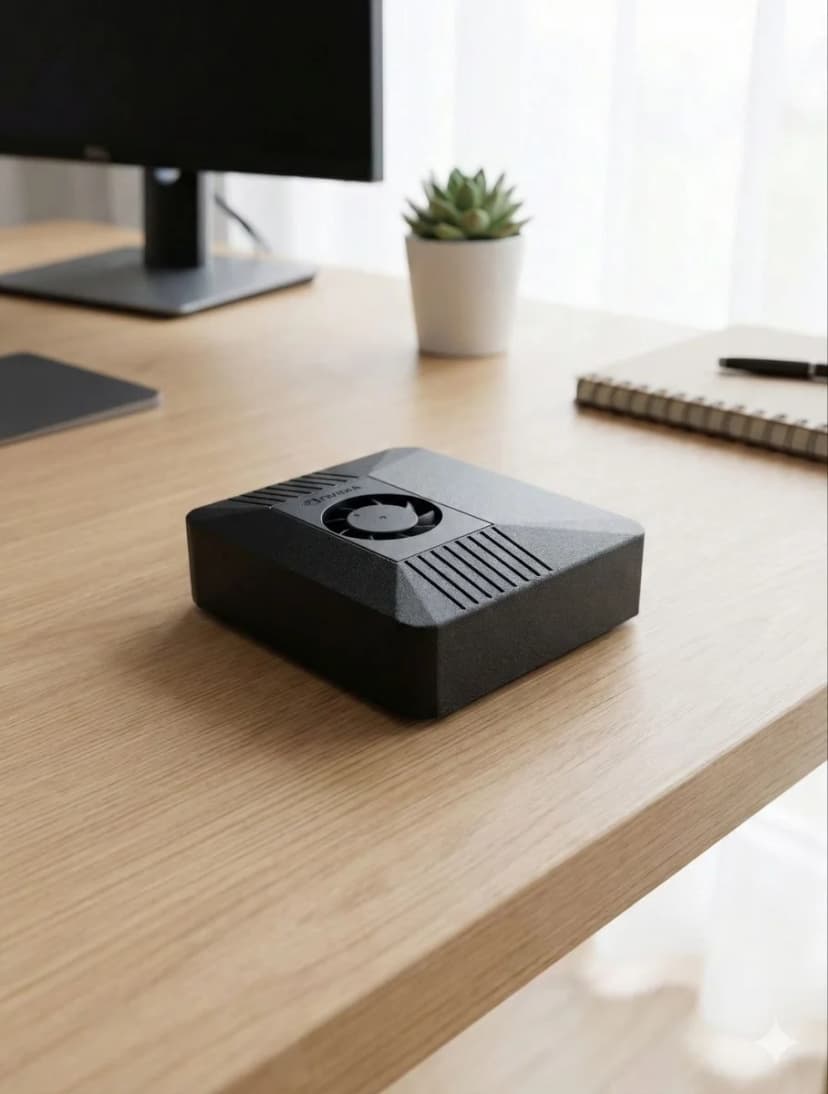
Local AI Hardware, Engineered for Local Models
Every component selected for AI workloads — not generic computing.
AI Performance
67 TOPS
NVIDIA Jetson Orin Nano Super — dedicated AI accelerator
GPU
1024-core Ampere
Full CUDA support, 40.96 GB/s memory bandwidth
Memory
8GB LPDDR5
102.4 GB/s bandwidth, unified CPU/GPU memory
Storage
512GB NVMe SSD
PCIe Gen3 x4, 2,100 MB/s read, pre-installed
Power
15W typical
7W idle, 25W peak — 24/7 always-on optimized
Price
749 € one-time
Hardware you own. Optional Pro/Max plans for more.
AI Models That Run Locally on ClawBox
All inference happens on the device. Your queries never touch a server.
| Model | Speed | Best For |
|---|---|---|
| Llama 3.2 1B (Q4) | ~45 tok/s | Routing, tagging, quick rewrites |
| Gemma 2 2B (Q4) | ~26 tok/s | Fast responses, Q&A |
| Qwen2.5 3B (Q4) | ~23 tok/s | General assistant, drafting, analysis |
| Phi-3 Mini 3.8B (Q4) | ~22 tok/s | Best reasoning that fits comfortably |
| Whisper Large v3 | Real-time STT | Voice commands, 90+ languages |
| Kokoro TTS | Real-time TTS | Natural voice responses |
All models managed via Ollama. Pull any model with one command.
Why Dedicated Local AI Hardware Beats DIY
🦞 ClawBox (Purpose-Built)
- ✓ Ready in 5 minutes — no setup, no configuration
- ✓ All AI software pre-installed and optimized
- ✓ Telegram, WhatsApp, Discord — built in
- ✓ Browser automation, email, calendar — built in
- ✓ 15W — designed for 24/7 always-on operation
- ✓ CUDA-native — no compatibility headaches
🖥️ DIY Local AI Setup
- → Days/weeks of installation and debugging
- → Driver conflicts, CUDA version mismatches
- → Messaging integrations require custom code
- → No voice processing out of the box
- → 300-500W GPU desktop — not 24/7 friendly
- → Ongoing maintenance and troubleshooting
Frequently Asked Questions
What is local AI?▼
Local AI means the model runs on hardware you control instead of sending every request to a cloud service. For ClawBox, that means OpenClaw, local models, voice processing, and automations can run on the Jetson Orin Nano inside your home or office, with optional cloud providers available only when a task needs them.
What is local AI hardware?▼
Local AI hardware is a dedicated device that runs AI models (LLMs, speech recognition, image processing) entirely on your own hardware — no cloud, no internet required for AI inference. ClawBox is purpose-built local AI hardware with a 67 TOPS NVIDIA Jetson Orin Nano that runs models like Qwen2.5 3B at about 23 tokens/second and Phi-3 Mini at about 22 tokens/second, measured on a production unit.
What AI models can I run locally on ClawBox hardware?▼
Measured on a production ClawBox with Ollama: Llama 3.2 1B (~45 tok/s), Gemma 2 2B (~26 tok/s), Qwen2.5 3B (~23 tok/s), Phi-3 Mini 3.8B (~22 tok/s), plus Whisper STT (90+ languages, local) and Kokoro TTS. The 1-4B class is the sweet spot for the 8GB unified memory; 7-8B models load but run near 10 tok/s and leave little headroom alongside the assistant. Managed via Ollama, the de-facto local AI model manager.
How does ClawBox compare to a GPU desktop for local AI?▼
A GPU desktop (e.g., RTX 4090) runs AI much faster, but costs 1 500–3 000 €+, draws 300-500W, and isn't designed for 24/7 always-on use as an AI assistant. ClawBox draws only 15W, costs 749 €, and is purpose-built for AI assistant workloads — with messaging integrations, browser automation, voice processing, and proactive monitoring built in. It's not about raw speed; it's about having an AI that's always on, always available, always private.
Do I need technical knowledge to run local AI hardware?▼
With ClawBox, no. Setup is 5 minutes: plug in the power, connect to WiFi, scan the QR code to link Telegram or WhatsApp. OpenClaw (pre-installed) handles all AI model management, voice processing, and integrations automatically. You don't need to install drivers, compile models, or configure software. For advanced customization, full SSH/root access is available.
What are the hardware requirements for running AI locally?▼
To run local AI effectively, you need at least 8GB of unified or GPU memory, a modern CPU or GPU/NPU with AI acceleration, and an always-on device. ClawBox exceeds all these: 8GB LPDDR5 unified memory, 67 TOPS NVIDIA GPU, 1024 CUDA cores, and 512GB NVMe for model storage. See our full hardware requirements at clawbox.com/openclaw-hardware-requirements.
Prêt à changer ?
Arrêtez de comparer, commencez à construire. ClawBox est un matériel IA prêt à l'emploi — opérationnel en 5 minutes.
✓ Paiement sécurisé via Stripe