
Requisiti hardware OpenClaw (2026)
Cosa ti serve per far girare OpenClaw?
Dal minimo di 4GB alla configurazione consigliata da 67 TOPS — le specifiche di cui OpenClaw ha davvero bisogno, e il box preconfigurato che ti evita il setup.
📅 Updated March 2026
With OpenClaw v2026.3.14 and NemoClaw from NVIDIA, hardware requirements have evolved. The minimum specs remain 4GB RAM and Node.js 20+, but for the best experience with browser automation, multi-agent workflows, and voice pipelines, we now recommend dedicated hardware with NVIDIA CUDA support. The Jetson Orin Nano remains the sweet spot — 67 TOPS of AI compute at just 15W, enough for simultaneous LLM inference, browser automation, and voice processing.
Need the recommendation, not just the specs?
This page explains minimum and recommended specs. If you want the final buying answer, read our guide to the best OpenClaw hardware, where we compare ClawBox, Raspberry Pi, Mac Mini, and other always-on AI setups. For the 2026 buying decision — mini PC vs Jetson vs Mac mini vs ClawBox, with real power costs and setup times — see our full comparison guide. Prefer measured numbers over spec-sheet claims? See the real local-LLM benchmark from a production ClawBox — 22–45 tokens/sec at under 20 watts. And if you're still wondering what OpenClaw actually is, our explainer covers the assistant itself before you pick hardware for it.
ClawBox Specifiche
Tutto quello che devi sapere sull'hardware ClawBox
Prestazioni dell'IA
67 TOPS
NVIDIA Jetson Orin Nano Super with dedicated AI accelerator
GPU
1024-core Ampere GPU
625 MHz base clock, 40.96 GB/s memory bandwidth
Memoria
8GB LPDDR5
102.4 GB/s bandwidth, unified CPU/GPU memory
Archiviazione
512GB NVMe SSD
PCIe Gen3 x4, 2,100 MB/s read speed, pre-installed
Alimentazione
7-25W
15W typical operation, 19 V barrel-jack power supply included
Connettività
WiFi 5 + Bluetooth 5.0
Dual-band 802.11ac, Gigabit Ethernet port
Porti
USB-A, USB-C, HDMI, Ethernet
USB-C is for data, not power; 19 V DC barrel power input, microSD slot, 40-pin GPIO header
Misurare
100 × 79 × 31mm
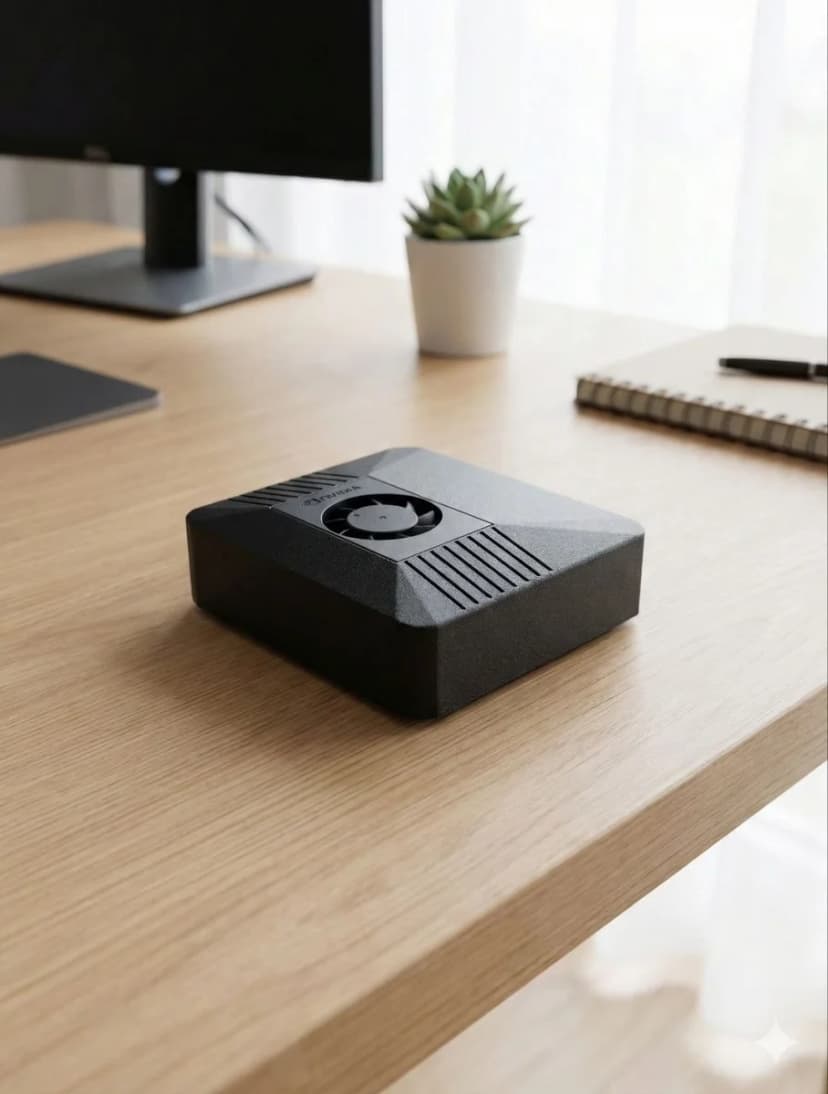
Compact carbon color case, 260g total weight
Prestazioni del modello AI
Su cosa puoi eseguire ClawBox
| Modello | Velocità | Qualità |
|---|---|---|
| Llama 3.2 1B (Q4) | ~45 tok/s | Fast |
| Gemma 2 2B (Q4) | ~26 tok/s | Good |
| Qwen2.5 3B (Q4) | ~23 tok/s | Excellent |
| Phi-3 Mini 3.8B (Q4) | ~22 tok/s | Excellent |
| 7–8B class (Q4) | ~10 tok/s | Tight fit |
Per i modelli più grandi, utilizza BYOK con il cloud APIs (Claude, GPT, Gemini).
Cosa è incluso
Hardware
- ✓ NVIDIA Jetson Orin Nano Super
- ✓ 512GB NVMe SSD (preinstallato)
- ✓ Case color carbone
- ✓ Alimentatore da 19 V con connettore jack DC (spina o adattatore per la tua regione)
- ✓ Ethernet e WiFi pronti
Software
- ✓ Ubuntu 22.04 LTS
- ✓ OpenClaw preinstallato
- ✓ Automazione browser pronta
- ✓ Pipeline vocale configurata
- ✓ Aggiornamenti gratuiti
Requisiti di alimentazione
7 W inattivo
7W
15 W tipici
15W
25 W massimi
25W
L'alimentatore da 19 V con connettore jack DC incluso è tutto ciò di cui hai bisogno.
Requisiti server per OpenClaw
Cosa serve davvero a un'installazione OpenClaw headless e sempre attiva
Eseguire OpenClaw come server — niente monitor, solo una macchina sempre attiva che raggiungi da Telegram o WhatsApp — è il modo in cui la maggior parte delle persone finisce per usarlo. I requisiti sono modesti, ma reali: l'agente tiene attivi un browser, un runtime Node.js e spesso un modello locale, 24 ore su 24.
| Componente | Minimo | Consigliato |
|---|---|---|
| RAM | 4GB | 8GB unificati (per modelli AI locali) |
| CPU | 2 core (x86_64 o ARM64) | 4+ core, oppure Jetson con CUDA |
| Archiviazione | 20GB liberi | 50GB+ NVMe SSD |
| Sistema operativo e runtime | Linux con Node.js 20+ | Ubuntu LTS headless, Node.js 20+ |
Un VPS economico rispetta il minimo sulla carta, ma vCPU condivise e RAM burstable non bastano nella pratica: l'automazione del browser fa schizzare la CPU, i modelli locali hanno bisogno di vera larghezza di banda di memoria, e l'uptime 24 ore su 24 su un'infrastruttura in affitto significa che il tuo agente — e i suoi dati — vivono nel cloud di qualcun altro.
L'alternativa preconfigurata: ClawBox è un server Jetson da 67 TOPS con OpenClaw già installato, ottimizzato esattamente per questo carico di lavoro a 15W. Scopri cosa fa ClawBox →
Why Dedicated Hardware for OpenClaw?
Running OpenClaw on dedicated hardware vs shared VPS or your daily-use computer
✓ Dedicated Hardware
- ✓24/7 uptime — your AI assistant never sleeps. Heartbeat checks, scheduled tasks, and proactive monitoring run around the clock without interruption.
- ✓No resource competition — CPU, GPU, and RAM are 100% dedicated to OpenClaw. No other apps fighting for memory or causing unexpected slowdowns.
- ✓Consistent performance — predictable response times for AI inference, voice processing, and browser automation. No “noisy neighbor” problems.
- ✓Lower long-term cost — ClawBox at 749 € one-time vs VPS at 20–40 €/month (720–1440 € over 3 years). The hardware pays for itself in 19–38 months.
- ✓True privacy — your data stays on your physical hardware, on your network. No cloud provider has access to your conversations, files, or automations.
✗ Shared VPS / Your Laptop
- ✗Downtime when you close your laptop — OpenClaw stops when your computer sleeps, restarts, or runs out of battery.
- ✗Resource contention — browser tabs, Slack, VS Code all compete with OpenClaw for RAM and CPU. Performance degrades unpredictably.
- ✗VPS costs add up — a GPU-capable VPS costs 40–80 €/month. Over 3 years that's 1440–2880 € — far more than dedicated hardware.
- ✗No local AI inference — most VPS providers don't offer GPU access. You're stuck with cloud API calls only.
The ideal dedicated hardware for OpenClaw: NVIDIA Jetson Orin Nano at just 15W.
67 TOPS of AI performance, fanless operation, always-on by design. ClawBox packages this with a 512GB NVMe SSD, carbon color case, and OpenClaw pre-installed — ready in 5 minutes.
Frequently Asked Questions
What are the minimum hardware requirements for OpenClaw?▼
What is the best hardware for OpenClaw?▼
Can I run OpenClaw on a Raspberry Pi?▼
Does OpenClaw require a GPU?▼
What is the best device for OpenClaw?▼
What are the OpenClaw system requirements for local AI models?▼
Can I build my own computer for OpenClaw instead of buying ClawBox?▼
What is the best mini PC for OpenClaw?▼
What hardware do I need to run OpenClaw?▼
What are the OpenClaw server requirements?▼
What do I need to run OpenClaw?▼
How big is OpenClaw / the ClawBox?▼
Ready to Get Started?
ClawBox comes with everything you need — pre-installed, pre-configured, ready in 5 minutes.
30-day money-back guarantee · Ships to 30+ countries · DHL Express