
Own Your AI.
Don't Rent It.
ClawBox vs Perplexity Personal Computer — one-time vs $200/month.
Weighing OpenClaw vs Perplexity? They're two takes on the same always-on-AI idea. Perplexity's Personal Computer is a genuinely impressive cloud agent — $200/month, running on a Mac Mini you provide. ClawBox is the Perplexity computer alternative for people who'd rather own the box: 749 € one-time, purpose-built NVIDIA hardware with OpenClaw pre-installed. Your data stays local, with optional cloud providers when you want them. Same always-on AI, forever yours.
Want the hardware view first? Compare dedicated AI hardware for OpenClaw and the ClawBox price before choosing a subscription-style AI computer.
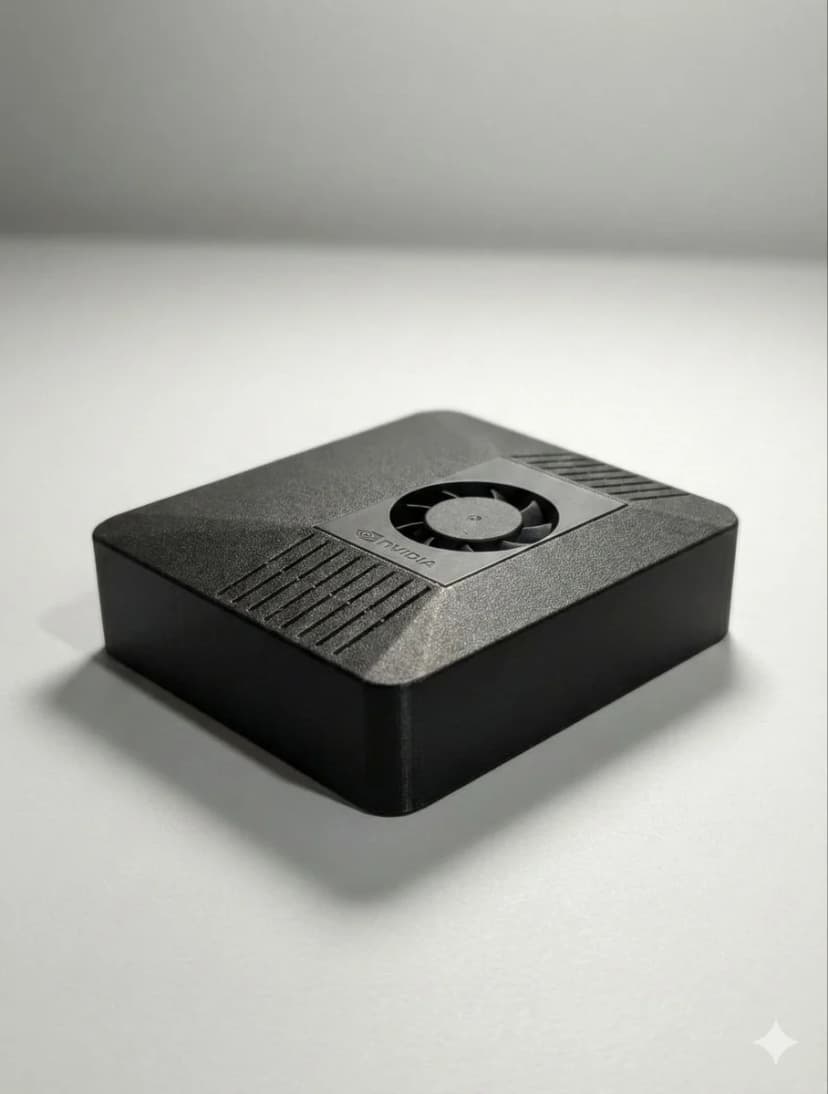
749 €
One-time. Forever.
vs $200/month subscription
$0/mo
Free tier included
Save $2,400/year vs Perplexity
100%
Private & Local
Your data never leaves home
OpenClaw vs Perplexity: What's the Real Difference?
OpenClaw and Perplexity solve different problems — and each is excellent at its own. Perplexity is AI-powered search at its best: live web answers, synthesized and cited, delivered as a managed service. OpenClaw is a personal assistant platform: it holds memory of your work, watches your inbox, automates your browser, and messages you first when something needs attention. It runs on hardware you own, so your digital life stays under your control. The two aren't enemies — they cover different halves of what people actually want from AI.
That's why people searching for a Perplexity computer alternative land on ClawBox: for less than 5 months of Perplexity's $200/month plan you own the device outright — and OpenClaw can still call frontier models when you want them, with Claude as its premium reasoning provider and Anthropic as the main supported cloud provider.
ClawBox vs Perplexity Personal Computer
Same idea — a personal, always-on AI. Two very different ways to get there.
| Feature | 🦞 ClawBox | 🔵 Perplexity PC |
|---|---|---|
| Price | ✓749 € one-time | $200/month + Mac Mini |
| 2-Year Total Cost | ✓~749 € | ~$5,400+ |
| Hardware Included | ✓✓ Everything included | ✗ Buy your own Mac Mini |
| AI Processor | ✓NVIDIA Jetson (67 TOPS) | Cloud AI models |
| Data Privacy | ✓✓ 100% local, your network | ✗ Cloud-processed |
| Works Offline | ✓✓ Local LLMs available | ✗ Requires internet |
| Power Draw | ✓15W | 40-65W (Mac Mini) |
| Software | ✓OpenClaw (open source) | Perplexity (proprietary) |
| Messaging Integration | ✓ Telegram, WhatsApp, Discord | ✓ Gmail, Slack, Notion |
| Browser Automation | ✓ Full Chromium | ✓ Sandboxed browser |
| AI Models | Any (Claude, GPT, local) | 19-20 models (managed) |
| Open Source | ✓✓ Fully open source | ✗ Proprietary |
| Subscription Required | ✓Optional (free tier available) | ✓ $200/month required |
| Enterprise Features | DIY / self-managed | ✓✓ Audit trails, sandbox |
| Setup Complexity | ✓5 min plug-and-play | Bring your own Mac Mini |
Where ClawBox Shines vs Perplexity PC for AI Workloads
🎮 NVIDIA CUDA vs Apple Silicon
The Perplexity Personal Computer uses a Mac Mini M4 with Apple's Neural Engine — a genuinely capable machine, though without CUDA support. The vast majority of source-available AI tools — llama.cpp with CUDA, Whisper with GPU acceleration, PyTorch, TensorRT — are optimized for NVIDIA hardware first. For running models on-device, ClawBox's 1024-core Ampere GPU with 67 TOPS is purpose-built for AI inference with native CUDA support.
⚡ 15W vs 50W+ Power Draw
A Mac Mini M4 draws 40-65W under typical AI load. Running 24/7, that's ~95–145 €/year in electricity. ClawBox draws just 15W typical — about 10 €/year. Over 5 years, the Mac Mini-based Perplexity PC costs ~500 € more in electricity alone. ClawBox is purpose-built for always-on AI assistant operation at minimal power.
🔓 Open vs Proprietary
Perplexity Personal Computer runs Perplexity's proprietary software — a reasonable choice for a polished managed product, but you can't inspect or extend it. OpenClaw on ClawBox is fully open source (GitHub). You see exactly what runs on your device, extend it with your own skills, and nothing changes unless you change it. You control what runs on your ClawBox.
💬 Messaging vs Search
Perplexity has made AI search genuinely great — live web answers with citations you can check. ClawBox covers the other half: Telegram, WhatsApp, and Discord built in, email management, calendar, browser automation, voice commands, home automation. It's not trying to out-search Perplexity — it's the always-on assistant that manages your digital life, 24/7, proactively. There are even community skills on ClawHub that let OpenClaw call the Perplexity API for cited research.
Which Should You Choose?
Choose ClawBox if you want:
- ✓ No subscription — 749 € once vs $200/month
- ✓ Lower power — 15W vs 50W+ for 24/7
- ✓ NVIDIA CUDA — broadest AI framework support
- ✓ Messaging integration (Telegram, WhatsApp)
- ✓ Fully open-source, no vendor lock-in
- ✓ Offline-capable AI (no internet required)
- ✓ True always-on AI assistant
Perplexity PC is a great fit if:
- → You want a fully managed service — updates and models handled for you
- → You need full macOS for other work
- → You're already a happy Perplexity Pro subscriber
- → You need more than 8GB unified memory
- → You prefer Apple's polished software ecosystem
And it doesn't have to be either/or. Plenty of people pair the two: Perplexity for cited live-web research, ClawBox as the always-on private assistant at home — OpenClaw can even pull Perplexity's grounded answers into your ClawBox via community ClawHub skills and a Perplexity API key.
Frequently Asked Questions
OpenClaw vs Perplexity — which should I choose?▼
They're built for different halves of the job, and both do their half well. Choose OpenClaw (on ClawBox) if you want an always-on personal assistant you own: it lives on your hardware, answers on Telegram/WhatsApp/Discord, automates your browser and email, and can run local models offline — 749 € one-time. Choose Perplexity if what you mainly want is excellent AI-powered search with cited answers and a fully managed cloud experience. As a Perplexity computer alternative, ClawBox brings ownership, privacy, low power draw, and openness; Perplexity brings best-in-class managed search. Plenty of people happily use both.
What is the Perplexity Personal Computer and how does ClawBox compare?▼
Perplexity Personal Computer is a $200/month cloud AI subscription that runs on a Mac Mini you provide — an impressive managed agent that orchestrates 19-20 cloud AI models (Claude, Gemini, Grok) to handle tasks autonomously. ClawBox approaches the same always-on-agent idea from the ownership side: purpose-built AI hardware at 749 € one-time — NVIDIA Jetson Orin Nano with 67 TOPS, runs OpenClaw 24/7, with a free tier plus optional Pro (9 €/mo) and Max (49 €/mo) plans. ClawBox keeps your data local; Perplexity processes tasks through its managed cloud service.
Is ClawBox cheaper than the Perplexity Personal Computer?▼
Substantially cheaper over time. ClawBox is a one-time 749 € hardware purchase; a free tier covers standard daily usage. Perplexity Personal Computer costs $200/month ($2,400/year) plus a Mac Mini you provide ($599-$1,399) — the price of a fully managed service. After 5 months of subscription, you've spent more than a ClawBox costs outright. Over 2 years: ClawBox = ~749 € total. Perplexity = $4,800+ subscription + $599+ Mac Mini = $5,400+. If managed convenience is worth that to you, it's a fine product — ClawBox is for people who prefer to own the box.
Does ClawBox have a better GPU than the Perplexity Personal Computer?▼
For local AI workloads specifically, yes. ClawBox has an NVIDIA Jetson Orin Nano with 1024 CUDA cores and 67 TOPS of dedicated AI compute, with full CUDA/cuDNN/TensorRT support. The Mac Mini M4 in the Perplexity Personal Computer is a capable machine — a 10-core GPU with a 38 TOPS Neural Engine — but it has no CUDA, and most source-available AI tools (PyTorch, llama.cpp with CUDA, Whisper with CUDA) are natively optimized for NVIDIA first. To be fair, Perplexity's design runs its AI in the cloud, so local GPU choice matters less there; for on-device models, ClawBox's NVIDIA stack gives broader framework support.
What software does ClawBox run vs Perplexity Personal Computer?▼
Perplexity Personal Computer runs Perplexity's proprietary AI assistant software as part of the subscription — a polished, managed experience by design. ClawBox runs OpenClaw — fully open-source, with Telegram/WhatsApp/Discord integration, email, calendar, browser automation, local LLMs (Llama, Mistral, Phi), Whisper STT, Kokoro TTS, Home Assistant, and more. You get full root/SSH access and can inspect or extend everything that runs on the device.
Can ClawBox replace Perplexity for web search and AI research?▼
It can — and it can also work alongside it. OpenClaw supports web search via the Brave Search API, browsing and scraping via Chromium automation, and any AI model for reasoning. And if you love Perplexity's cited answers, you don't have to give them up: the ClawHub skill store has community Perplexity skills that let OpenClaw call the Perplexity API (with your API key) for grounded, cited web research — right inside your ClawBox conversations. Perplexity handles the live web brilliantly; ClawBox adds the always-on assistant, memory, and automation around it, with everything else staying local.
Pronto a cambiare?
Smetti di confrontare, inizia a costruire. ClawBox è hardware IA plug-and-play — pronto in 5 minuti.
✓ Pagamento sicuro tramite Stripe